

Claude AI for Work Course:
 Practical Skills for Professional Productivity
Learn to use Claude to write, research, analyze information and build reusable workflows that save time and improve the quality of your work. Live online, with customized in-person training available for organizations.
Course Overview
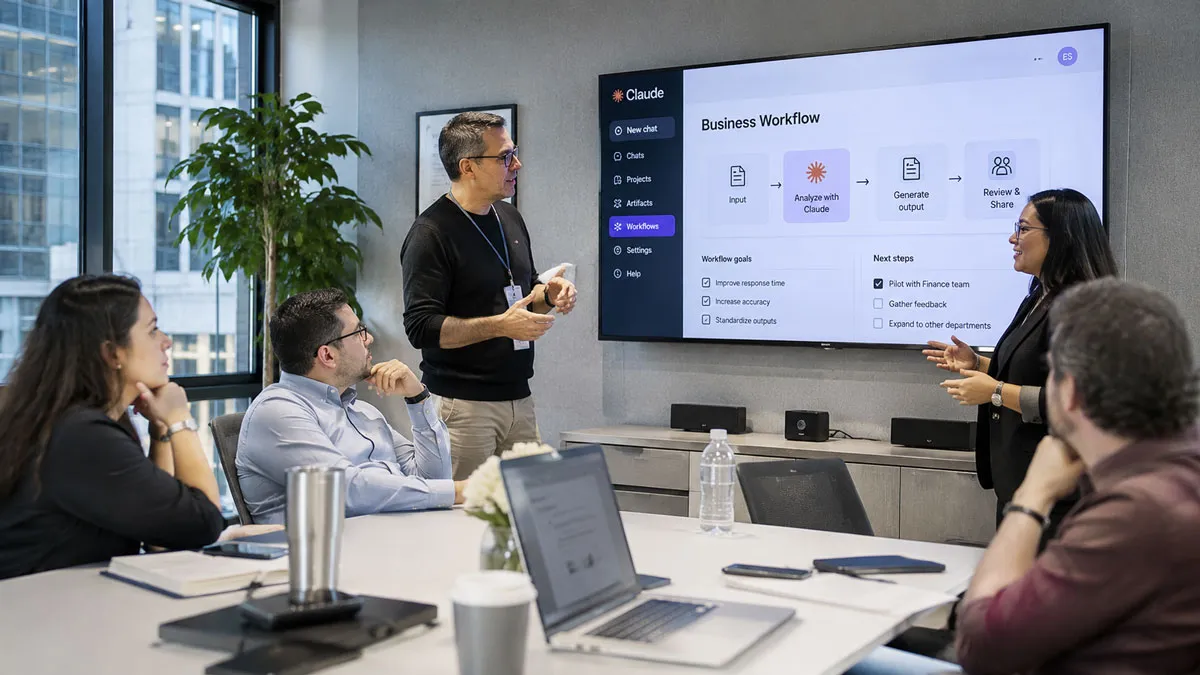
The Claude AI for Work course is a practical, hands-on program for professionals who want to use Claude effectively in their daily work. In four live sessions, participants learn how Claude works, how to write prompts that produce reliable results, and how to apply Claude to writing, research, data analysis and business workflows.
The course progresses from foundations to advanced use. Each session combines live demonstrations, guided practice and a module project based on real workplace tasks. Participants finish by designing a personal AI workflow they can apply immediately.
Throughout the course, we emphasize responsible use, verification and human judgment, so that Claude strengthens your professional expertise rather than replacing it.
Students who successfully complete the course requirements earn the SOLOVANT Claude AI for Work.
Who This Course Is For
- Professionals who want to save time on writing, research and reporting
- Managers and team leaders who make decisions based on information and data
- Business users in finance, sales, marketing, operations, HR and legal roles
- Educators and trainers who create content and learning materials
- Entrepreneurs and consultants who want to work more efficiently
- Teams whose organizations are adopting Claude
No technical background is required. A free or paid Claude account is recommended; some advanced features require a paid plan.
Learning Outcomes
By the end of this course, students will be able to:
- Understand
Explain how Claude works, what it does well, and where human review is required.
Describe the principles of responsible and secure AI use in professional settings. - Apply
Write structured prompts that include context, role, task, format and quality criteria.
Use Claude to draft professional emails, reports, proposals and summaries. - Analyze
Analyze documents, spreadsheets and research sources with Claude to identify key information, trends and risks.
Compare AI outputs and identify errors, unsupported claims and missing information. - Evaluate
Evaluate AI-generated work against professional standards for accuracy, clarity, tone and completeness.
Judge which tasks benefit from AI assistance and which require human expertise. - Create
Build Claude Projects and reusable skills that capture your knowledge, templates and standards.
Design a personal AI-assisted workflow for a recurring task and measure the time it saves.

What You Will Create
Throughout the course, students will complete practical, real-world projects while building a personal AI productivity toolkit. By the end of the course, you will have created:
- A personal prompt library for your professional tasks
- AI-assisted emails, reports and summaries
- A research brief with verified, cited sources
- A data analysis with charts and written insights
- A Claude Project organized around your work
- A reusable skill for a recurring task
- A personalized AI workflow with before-and-after results
Course Structure
The course is delivered in four live sessions of three hours each, for a total of 12 hours of instruction. Each session builds on the previous one, moving from foundations to writing and research, then to data and workflows, and finally to an integrated project.

Session 1: Claude Foundations & Effective Prompting
(3 Hours)
This session introduces Claude and the core skills for working with it effectively. Students learn how Claude works, how to communicate clearly with it, and how to evaluate its responses with a professional eye.
Topics Covered
- Understanding how Claude works, its strengths and its limitations
- Navigating the Claude interface, chats and settings
- Responsible and secure use of AI at work
- Writing structured prompts with context, role, task and format
- Using examples and constraints to improve results
- Iterating and refining responses
- Recognizing errors, assumptions and unsupported claims
- Building a personal prompt library
Module Project
Students rewrite three of their own everyday work requests as structured prompts, compare the results with simple prompts, and save the best versions in a personal prompt library.

Session 2: Claude for Writing, Documents & Research
(3 Hours)
This session focuses on the work that consumes most professional time: writing, reading and researching. Students use Claude to draft and edit documents, work with uploaded files and research topics with verified sources.
Topics Covered
- Drafting professional emails, reports and proposals
- Adapting tone and style for different audiences
- Uploading and working with PDFs, documents and presentations
- Summarizing, extracting and comparing information from files
- Researching topics with cited sources
- Verifying facts and evaluating source quality
- Creating documents and slides with Claude
- Editing and improving existing work
Module Project
Students produce a research brief on a topic relevant to their work, combining uploaded documents and web research, with every key claim supported by a verified source.

Session 3: Claude for Data, Productivity & Business Workflows
(3 Hours)
This session moves from individual tasks to organized, repeatable work. Students analyze data, organize knowledge in Claude Projects and apply Claude to common business workflows.
Topics Covered
- Analyzing spreadsheets and CSV files with Claude
- Creating charts, tables and written insights from data
- Organizing work with Claude Projects and custom instructions
- Adding reference files and templates to Projects
- Meeting notes, action items and status reports
- Planning projects and breaking work into tasks
- Supporting decisions with options, criteria and risks
- Business workflow examples by department
Module Project
Students analyze a dataset from their field, produce a short report with charts and recommendations, and set up a Claude Project for an ongoing area of their work.

Session 4: Advanced Claude & Personal Workflow Project
(3 Hours)
This session brings everything together. Students learn advanced features that turn individual prompts into reusable systems, then design, test and present a complete AI-assisted workflow.
Topics Covered
- Creating reusable skills for recurring tasks
- Connecting Claude to workplace tools through connectors
- Automating multi-step tasks
- Designing an end-to-end AI-assisted workflow
- Building quality checks and human review into workflows
- Measuring time saved and quality gained
- Ethics, privacy and AI policies at work
- Planning your continued AI learning
Module Project
Students design and present a personal AI workflow for a real recurring task, including the prompts, Project or skill used, the verification steps and the measured time savings. Classmates and the instructor provide feedback using a shared rubric.
Customized Training for Organizations
This course is also available as a private program for companies and teams, delivered live online or in person at your office in the New York area.
For organizations, we customize the course to your departments and goals:
- Exercises built from your teams’ real tasks and documents
- Department-specific sessions for finance, sales, marketing, operations, HR, legal, executive and IT teams
- Responsible-use guidelines aligned with your company’s policies
- Flexible formats, including full-day and multi-day programs
- Follow-up support, office hours and advanced workshops
Contact us to receive a customized proposal for your organization.

Certificate of Completion
Students who complete the course activities and the final workflow project receive a SOLOVANT Certificate of Completion in Claude AI for Work.
SOLOVANT is an independent training provider. Claude is a product of Anthropic; this course is not affiliated with or endorsed by Anthropic.
Academic and Professional Teaching Model
SOLOVANT courses are designed for learners who want more than short tutorials or isolated AI tips. This course follows a structured academic and professional approach that combines instructor demonstrations, guided practice, critical analysis, project-based learning, and direct feedback.
Courses are taught by instructors with graduate-level education, university teaching experience, professional certifications, and practical experience in technology, digital media, business applications, and artificial intelligence.
The goal is to help students understand AI as a professional productivity tool while developing the practical, critical, and responsible skills needed to use it effectively in contemporary work environments.
AI in Professional Workflows
The course emphasizes responsible use and human oversight. Students learn to verify AI outputs, protect sensitive information and apply professional judgment, so that Claude supports better work and better decisions.
Tuition:
Normal $690
Sale $590
What is included:
- 12 hours of live online instruction
- Graduate-level professor and AI instructor
- Live demonstrations and hands-on exercises
- Module projects with instructor feedback
- Access to the online learning environment, materials and assignments
- Class recordings
- Certificate of Completion
- Free retake of the course
- 25% discount on your next Solovant course
- One-on-one mentoring session
Schedule
- Duration: 4 sessions
- Total Instruction: 12 hours
- Format: Live online
-
Weeknights class options:
-
Mon & Wed – Jan 18, 20, 25, and 27th 2027
- Time: 6:00 pm to 9:00 PM ET
-
Saturday class option:
Jan 23rd and 30th 2027- Time: 10:00 AM to 4:30 PM ET (includes a 30-minute break)
-
Sale!

Ready to Use AI More Effectively at Work?
Enroll in this live online course and build practical Claude skills through guided instruction, hands-on exercises and real workplace applications.
Learn to use Claude for writing, research, document and data analysis, planning and decision-making, while keeping critical thinking, human oversight and responsible use at the center of your work.
Continue Your AI and Professional Productivity Training
Students who complete this course may continue into additional SOLOVANT programs covering Excel for Business, PowerPoint, advanced AI solutions, workflow automation, and specialized applications of artificial intelligence for business and creative work.
This makes the AI for Work course a practical entry point into a broader professional learning pathway focused on AI, business software, and workplace productivity.
Earn Your AI for Work Certificate


If you have any questions, feel free to contact us
We can schedule a Zoom or Phone Call to answer all your questions
hello@solovant.com