

Figma Essentials: UI Design & Interactive Prototyping
 Develop practical Figma skills in a focused live online course covering interface design, components, variants, Auto Layout, responsive layouts, design systems, multi-page prototypes, interactive transitions, collaboration, and developer handoff workflows.
Course Overview
Figma Essentials: UI Design & Interactive Prototyping is a structured live online course focused on designing polished digital interfaces and building interactive prototypes using Figma.
Students learn how to create website and app interfaces, organize multi-screen layouts, work with typography, color, images, grids, and reusable interface elements, and develop consistent visual systems. The course also covers components, variants, Auto Layout, responsive design principles, interactive transitions, collaboration tools, and developer handoff workflows.
This course is designed for learners who want more than a basic introduction to Figma. Through guided demonstrations, hands-on exercises, instructor feedback, and project-based learning, students develop a complete interface design project while learning how Figma is used in modern web, app, and product design environments.
By the end of the course, students will have created a polished multi-page interface and interactive prototype that includes reusable components, variants, Auto Layout structures, responsive layouts, navigation, transitions, and a shareable online prototype prepared for presentation and handoff.

Who This Course Is For
This course is designed for students, graphic designers, web designers, marketers, entrepreneurs, educators, content creators, creative professionals, and business professionals who want to design polished digital interfaces and interactive prototypes using Figma.
It is appropriate for beginners with no previous Figma experience, as well as learners who have used other design software and want a more structured workflow for website layouts, app screens, interface systems, responsive design, and prototyping.
No coding experience is required. Students should be comfortable using a computer and prepared for a focused, hands-on learning experience that combines visual design, interface structure, reusable components, responsive layouts, prototyping, collaboration, and project development.
Learning Outcomes
By the end of this course, students will be able to:
- Use Figma to create and organize professional UI design projects.
- Design multi-screen website and app interfaces using typography, color, spacing, alignment, and visual hierarchy.
- Create reusable components, variants, and Auto Layout structures.
- Build responsive interface layouts using constraints, resizing, padding, and spacing.
- Develop interactive prototypes with navigation, overlays, transitions, and Smart Animate.
- Create basic design system foundations using styles, variables, and semantic naming.
- Organize files for collaboration, presentation, and developer handoff.
- Use AI-assisted tools to support ideation, content, and workflow efficiency.
- Present a polished multi-page prototype for portfolio or professional use.

What You Will Create
Students will create a polished multi-screen Figma prototype for a website or mobile app. The project will progress from a basic clickable interface to a more professional UI design using reusable components, variants, Auto Layout, responsive structures, interactive prototype flows, and design system foundations.
Throughout the course, students will design and connect multiple screens, create navigation and interface elements, build reusable components, apply layout systems, and develop more advanced interactions such as overlays, menus, transitions, and interactive states.
By the end of the course, students will have a refined and well-organized Figma project that can be presented in a portfolio, shared with clients or collaborators, or continued into a larger web, app, or product design project.
Examples of Classwork
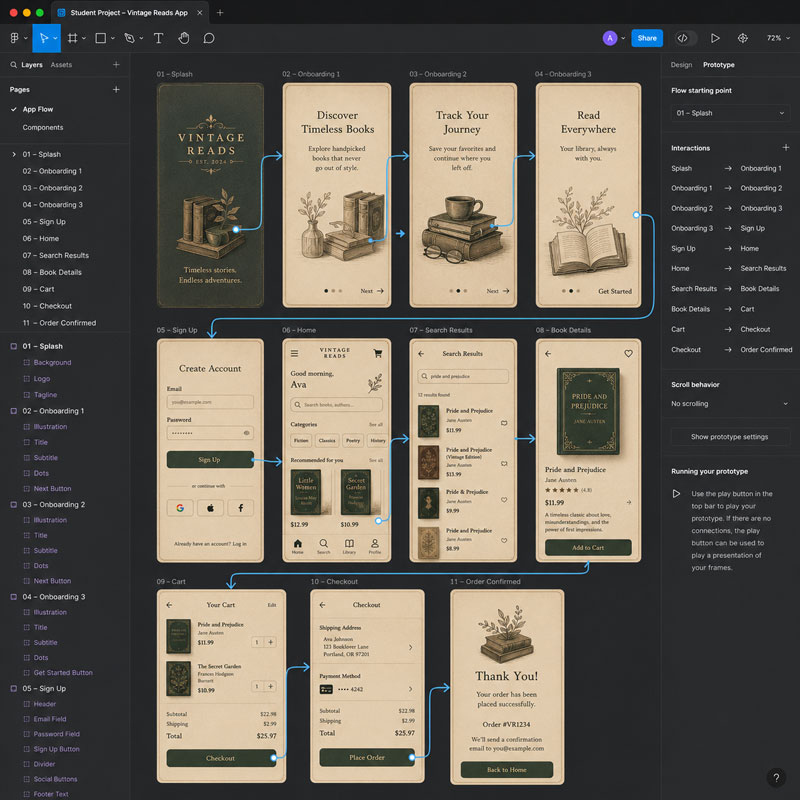
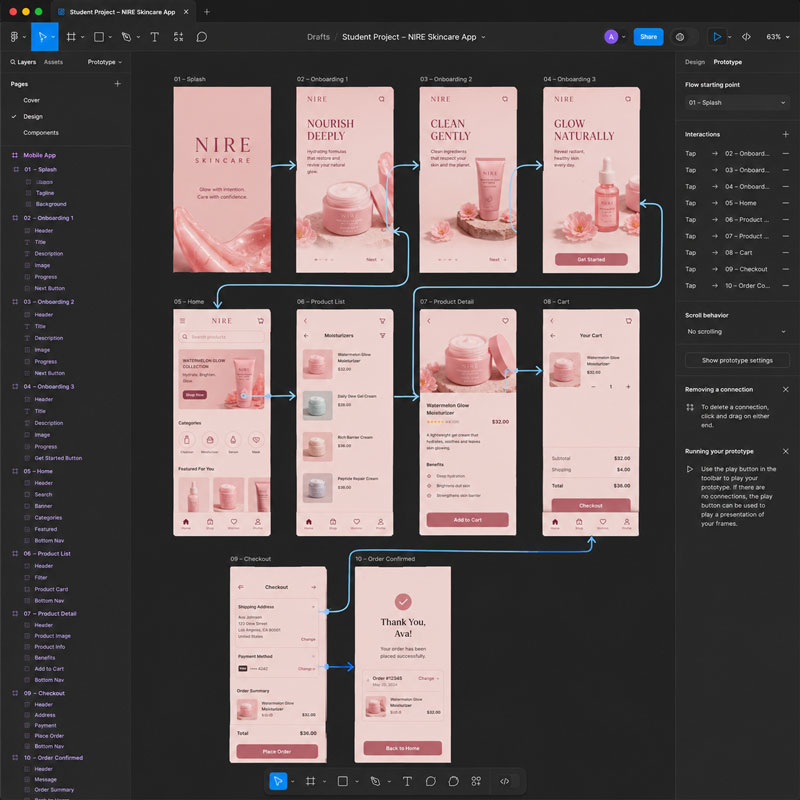
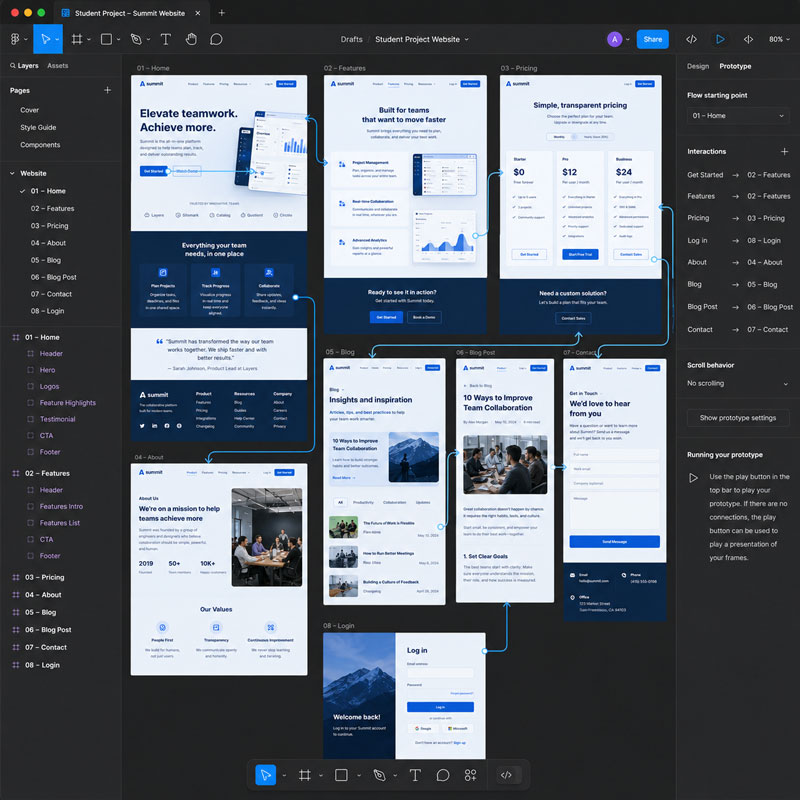
Course Structure
This course includes 12 hours of live online instruction delivered as four 3-hour sessions or two 6-hour Saturday sessions. Classes combine instructor demonstrations, guided practice, hands-on exercises, critiques, feedback, and project-based learning focused on practical Figma workflows for interface design and prototyping.
Each session introduces core Figma skills and includes applied exercises that help students develop a complete website or app interface. Students progress from basic layout and interface design to components, variants, Auto Layout, responsive structures, interactive prototypes, and design system foundations.
Students who successfully complete the course requirements and final project earn the SOLOVANT Figma Essentials: UI Design & Interactive Prototyping Certificate, demonstrating practical skills in interface design, prototyping, responsive layout, reusable components, collaboration, and professional Figma workflows.
Session 1: Figma Fundamentals and Interface Design
(3 Hours)
The first session introduces students to the Figma workspace and the core tools used to create digital interfaces. Students learn how to organize files, work with frames, layers, text, images, shapes, and layout grids while applying basic visual design principles to a website or app interface.
Topics Covered
- Figma interface and workspace
- Files, pages, sections, frames, and layers
- Creating and organizing interface elements
- Working with shapes, text, images, and icons
- Typography, color, spacing, and alignment
- Layout grids and visual hierarchy
- Designing buttons, cards, navigation, and content sections
- Basic prototype connections and screen navigation
- Previewing and sharing a Figma prototype
 Session Project
Students will create a basic multi-screen website or app interface that includes text, images, buttons, navigation, and consistent visual styling. The project will be connected as a simple clickable prototype that can be previewed, tested, and shared online.
Session 2: Components, Auto Layout, and Responsive Design
(3 Hours)
The second session focuses on building scalable and reusable interface designs. Students learn how to create components, use variants, apply Auto Layout, and build responsive interface structures that improve consistency, efficiency, and collaboration.
Topics Covered
- Components and reusable interface elements
- Component variants and interactive states
- Auto Layout fundamentals
- Padding, spacing, alignment, and resizing
- Constraints and responsive layout behavior
- Styles for colors, typography, and effects
- Working with UI kits and icon libraries
- Organizing files and maintaining design consistency
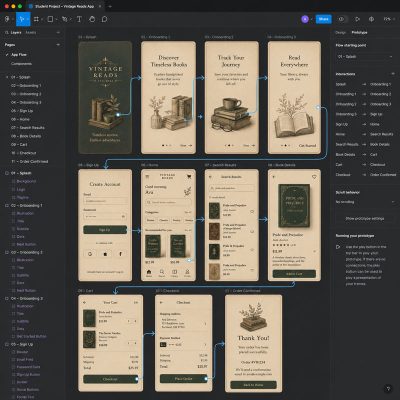
Session Project
Students will expand their interface project by converting key elements into reusable components, creating variants for buttons and navigation, applying Auto Layout to responsive sections, and organizing the design using professional naming conventions and styles. The result will be a more scalable and consistent interface ready for advanced prototyping.
Session 3: Interactive Prototyping and Design Systems
(3 Hours)
The third session focuses on creating realistic interactive prototypes and organizing projects using professional design system practices. Students learn how to build user flows, apply transitions, create interactive components, and prepare designs for collaboration and presentation.
Topics Covered
- Interactive prototype connections and user flows
- Overlays, menus, and modal windows
- Smart Animate and transition effects
- Interactive components and prototype testing
- Design system foundations
- Variables, styles, and semantic naming
- Collaboration, comments, and version history
- Sharing prototypes and developer handoff
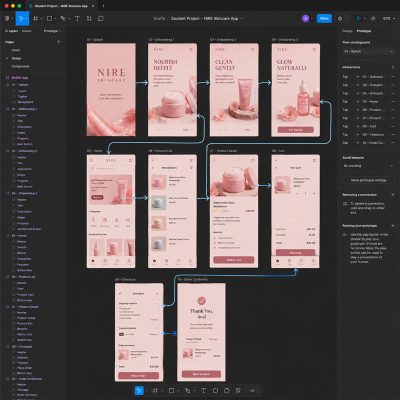 Session Project
Students will transform their interface into an interactive prototype by adding navigation, overlays, transitions, and interactive components. They will also organize the project using design system foundations, preparing a polished prototype for presentation, collaboration, and developer handoff.
Session 4: Advanced Workflow and Final Project
(3 Hours)
The final session brings together the skills developed throughout the course as students refine their interface, improve usability, and complete a professional-quality Figma project. Students focus on workflow optimization, collaboration, presentation, and preparing files for real-world production.
Topics Covered
- Refining interface layouts and visual consistency
- Advanced Auto Layout techniques
- Design review and usability improvements
- Accessibility considerations for UI design
- AI-assisted design workflows
- Preparing files for developer handoff
- Exporting assets and sharing projects
- Portfolio presentation best practices
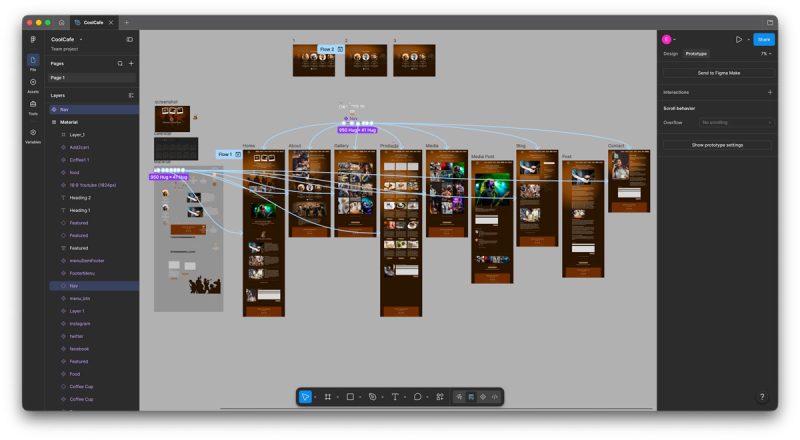
Session Project
Students will complete and present a polished, multi-page website or app interface that demonstrates professional Figma workflows, reusable components, responsive layouts, interactive prototyping, and design-system organization. The finished project will be suitable for a portfolio, client presentation, or continued development.
Successful completion of all four modules and the final project earns the Solovant Figma Certificate.
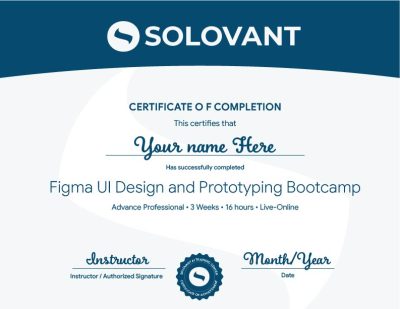
Certificate of Completion
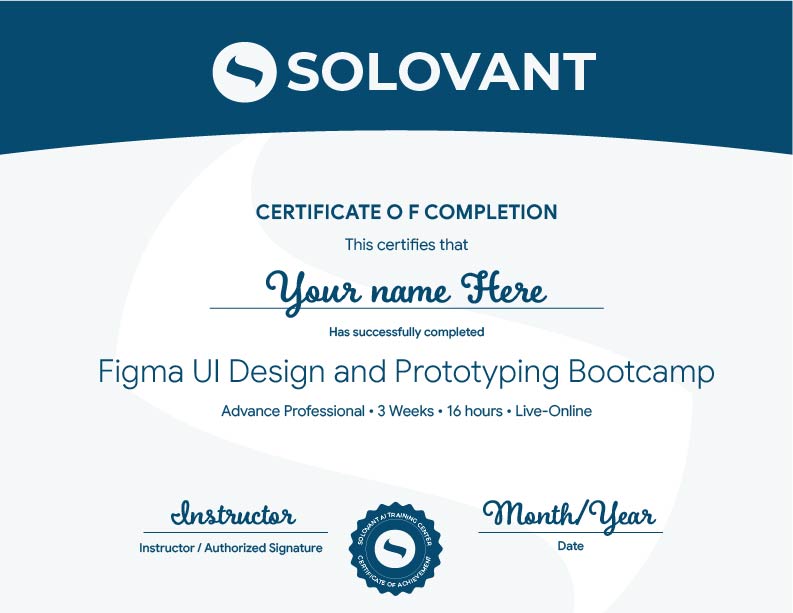
Students who complete the course requirements will receive a SOLOVANT Figma Bootcamp Certificate.
The certificate reflects completion of a structured live online course focused on Figma UI Design and Prototyping.
Academic and Professional Teaching Model
SOLOVANT courses are designed for learners who want more than short tutorials or isolated software tips. This course follows a structured academic and professional approach that combines technical demonstrations, guided practice, visual analysis, project-based learning, critique, and instructor feedback.
Courses are taught by instructors with graduate-level education, university teaching experience, professional certifications, and experience in design, digital media, technology, and artificial intelligence.
The goal is to help students use Figma as a professional interface design and prototyping tool while developing the technical, visual, and problem-solving skills needed to create responsive layouts, reusable components, interactive prototypes, and organized design systems for modern web, app, and product design workflows.
AI in Figma Workflows
Artificial intelligence is becoming part of modern interface design, content development, prototyping, and digital product workflows. In Figma, AI-supported tools can assist with early ideation, layout exploration, content generation, image creation, interface variations, naming, documentation, and workflow efficiency.
This course introduces AI as a professional support tool, not as a replacement for design judgment, usability, visual hierarchy, or technical skill. Students learn how to use AI strategically while maintaining control over structure, consistency, accessibility, brand alignment, and user experience.
The course also encourages critical awareness of AI limitations, including generic design results, inconsistent layouts, inaccurate content, accessibility concerns, originality issues, and the need for human review before using AI-generated work in professional projects.
Tuition:
Normal $690
Sale $590
What Is Included
- SOLOVANT Figma Essentials: UI Design & Interactive Prototyping Certificate
- 12 hours of live online instruction across four 3-hour sessions
- Graduate-level instructor with university teaching and professional design experience
- Hands-on exercises and a complete interface design project
- Interactive prototyping, components, Auto Layout, and responsive design workflows
- Class recordings
- Free class retake
- One-on-one mentoring session included
- 25% discount on your next SOLOVANT course
Schedule
- Duration: 4 sessions
- Total Instruction: 12 hours
- Format: Live online
-
Weeknight class option:
Mon & Wed – Mar 15, 17, 22, and 24- Time: 6:00 pm to 9:00 PM
-
Saturday class option:
Mar 20 and 27- Time: 10:00 AM to 4:30 PM
-
Sale!

Ready to Design Professional UI Prototypes in Figma?
Enroll in this four-session live online course and learn how to design, prototype, test, and present polished website and app interfaces using Figma. You will work through guided demonstrations, hands-on exercises, instructor feedback, and a complete project focused on practical UI design and prototyping workflows.
This course includes 12 hours of live online instruction covering Figma project setup, frames, layouts, typography, images, buttons, navigation, clickable prototypes, components, variants, Auto Layout, responsive design, interactive flows, design system foundations, variables, semantic naming, collaboration, and final prototype presentation.
Students complete a polished multi-screen Figma project suitable for a portfolio, client presentation, or continued development.
-
Sale!
Ready to Design Professional UI Prototypes in Figma?
Enroll in this four-session live online course and learn how to design, prototype, test, and present polished website and app interfaces using Figma. You will work through guided demonstrations, hands-on exercises, instructor feedback, and a complete project focused on practical UI design and prototyping workflows.
This course includes 12 hours of live online instruction covering Figma project setup, frames, layouts, typography, images, buttons, navigation, clickable prototypes, components, variants, Auto Layout, responsive design, interactive flows, design system foundations, variables, semantic naming, collaboration, and final prototype presentation.
Students complete a polished multi-screen Figma project suitable for a portfolio, client presentation, or continued development.
Continue Into the Certificate Program
Students who complete this course may continue into the Graphic Design & AI Certificate Program, which expands into Illustrator, InDesign, graphic design foundations, AI-supported creative workflows, and portfolio development.
This makes the Figma course a focused entry point into a broader professional design pathway.
Earn Your Figma Certificate

If you have any questions, feel free to contact us
We can schedule a Zoom or Phone Call to answer all your questions
hello@solovant.com