
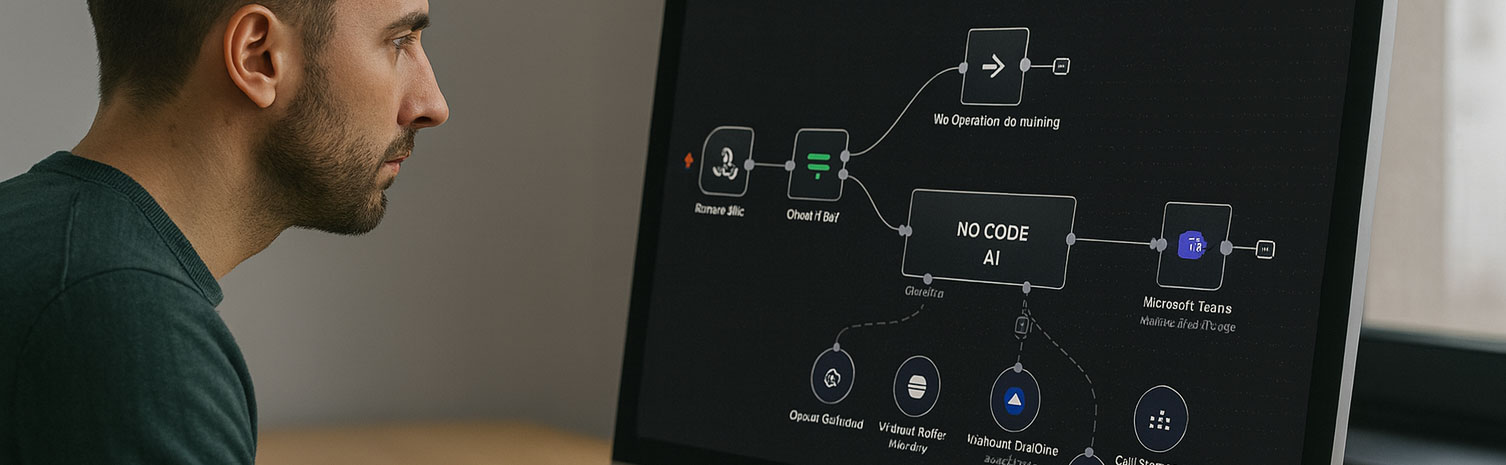
AI Agents & Business Automation Certificate:
 Design Intelligent AI Solutions Without Coding
Build AI-powered assistants that automate workflows, answer questions, connect with business applications, and improve productivity across organizations. This live online course combines instructor-led demonstrations, hands-on projects, and real-world implementation using ChatGPT, OpenAI, APIs, knowledge bases, and leading no-code automation platforms.
Course Overview
The AI Agents & Business Automation Certificate is a live online course designed for professionals, business owners, educators, consultants, and anyone who wants to leverage artificial intelligence to automate work, improve productivity, and create intelligent digital solutions without programming.
Throughout the course, students learn how AI agents work, how to design effective prompts and workflows, connect AI with external tools and knowledge sources, and build assistants that can perform meaningful tasks across business, education, customer service, marketing, and personal productivity.
The course combines instructor-led demonstrations, guided hands-on exercises, and practical projects that simulate real-world scenarios. Students develop AI assistants capable of answering questions, retrieving information, automating repetitive tasks, generating content, and interacting with business applications through modern no-code platforms and APIs.
In addition to building AI solutions, the course emphasizes responsible AI implementation, workflow design, prompt engineering, testing, evaluation, and best practices for deploying reliable AI assistants in professional environments.
Students who successfully complete the course requirements earn the SOLOVANT AI Agents & Business Automation Certificate.
Who This Course Is For
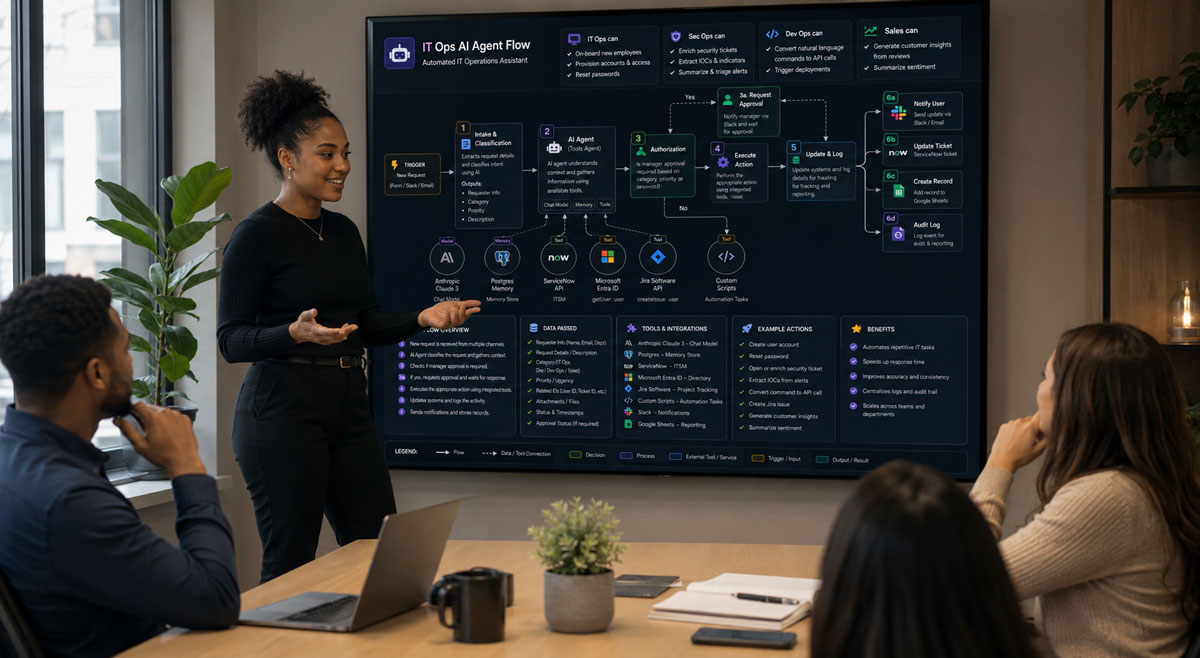
This course is designed for individuals and organizations who want to build practical AI solutions that improve efficiency, automate workflows, and enhance decision making without programming.
It is ideal for:
- Business professionals looking to automate repetitive tasks and streamline daily operations.
- Entrepreneurs and small business owners who want to integrate AI into their products, services, or customer support.
- Managers and team leaders seeking to improve productivity through AI-powered workflows.
- Educators and instructional designers interested in creating AI assistants for teaching, learning, and administrative support.
- Marketing, sales, and customer service professionals who want to build intelligent assistants for communication and content creation.
- Consultants and freelancers who want to develop AI solutions for clients or expand their service offerings.
- Technology enthusiasts and lifelong learners interested in building custom AI assistants using today’s leading no-code platforms.
No programming experience is required. Basic computer skills and familiarity with common business applications are recommended. Students should be comfortable using web-based software and exploring new technologies.
Learning Outcomes
By the end of this course, students will be able to:
- Explain the core concepts of AI agents, large language models (LLMs), and no-code AI automation.
- Design AI assistants that solve real business, educational, and productivity challenges.
- Create effective prompts, instructions, and conversation flows for reliable AI interactions.
- Build custom AI agents using ChatGPT, OpenAI, and leading no-code AI platforms.
- Connect AI assistants to external knowledge sources, documents, and business data.
- Integrate AI workflows with third-party applications using APIs and automation platforms.
- Automate repetitive tasks to improve efficiency and reduce manual work.
- Test, evaluate, and refine AI assistants for accuracy, usability, and performance.
- Apply best practices for responsible AI use, privacy, security, and human oversight.
- Plan, build, and present a complete AI automation project that demonstrates practical implementation in a professional setting.

What You Will Create
Throughout the course, students will design and build a portfolio of practical AI solutions that can be adapted for business, education, and professional use. Projects emphasize real-world implementation and no-code development.
By the end of the course, you will create:
- A custom AI assistant for answering questions and providing task-specific support.
- An AI-powered knowledge assistant connected to documents and organizational information.
- A workflow automation that integrates AI with business applications and external services.
- A conversational AI assistant designed for customer support or internal team use.
- A content generation assistant for writing, research, and productivity tasks.
- A task-specific AI solution tailored to your professional interests or organization.
- A final capstone project that combines AI agents, automation, and business workflows into a complete, real-world solution.
Each project is developed through guided demonstrations, hands-on exercises, and instructor feedback, giving students practical experience they can apply immediately in their workplace or professional practice.
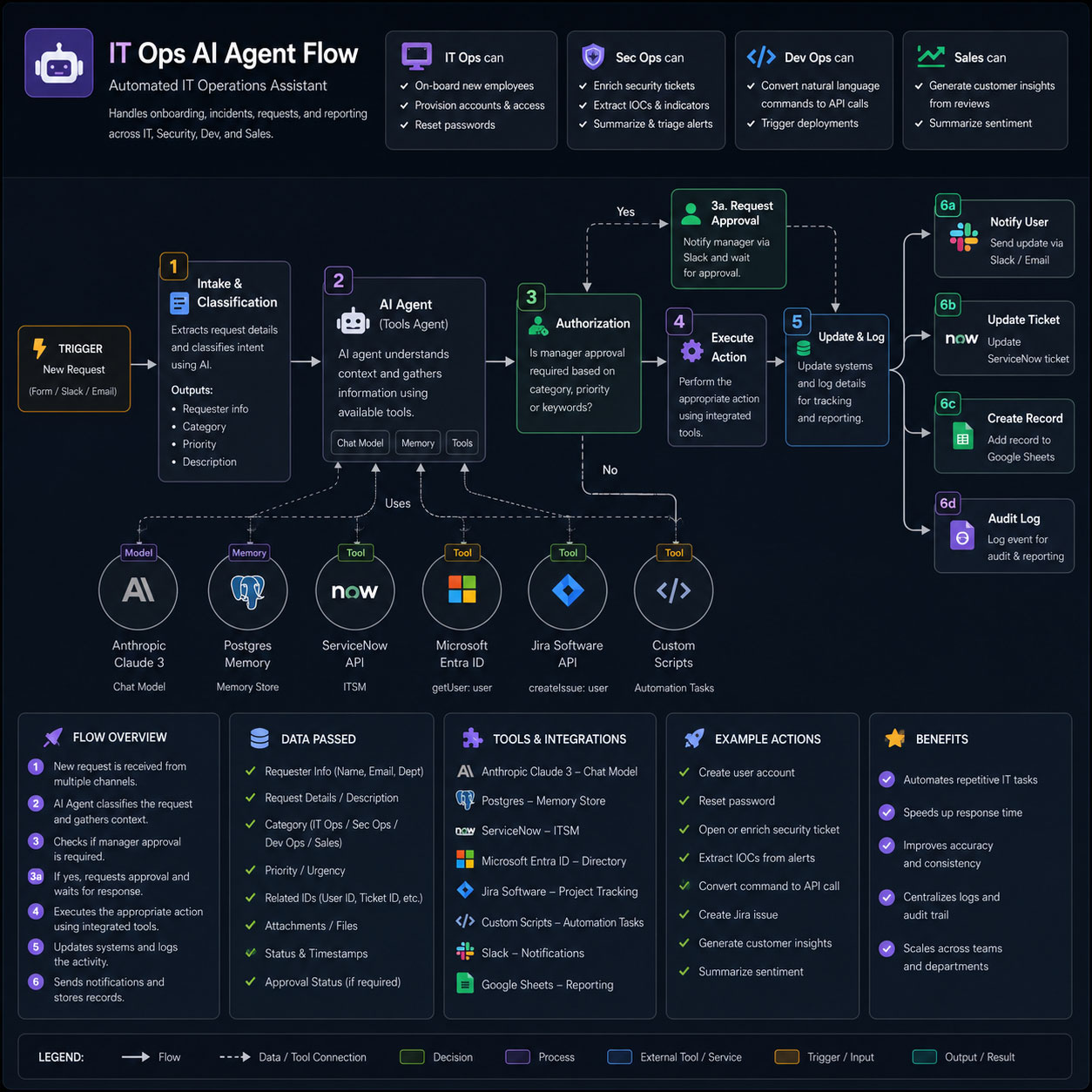
Examples of Classwork
Course Structure
This course includes 12 hours of live online instruction delivered either as four 3-hour sessions or two 6-hour Saturday sessions. Classes combine instructor demonstrations, guided practice, hands-on exercises, critiques, and project-based learning focused on practical professional workflows.
Each module introduces a core software skill and includes applied exercises designed to help students build confidence and improve their work during class. Students who successfully complete the full course and final project earn the Solovant Certificate, demonstrating a solid foundation in professional workflows used across disciplines.
Session 1: Foundations of AI Agents and No-Code Automation
Students begin by exploring the fundamentals of AI agents, modern large language models (LLMs), and the growing role of AI automation in business and professional environments. The session introduces the core concepts needed to design effective AI solutions and provides hands-on experience building a first custom AI assistant.
Topics include:
- Introduction to AI agents and intelligent assistants
- Understanding LLMs and how AI agents work
- Identifying business opportunities for AI automation
- Prompt engineering fundamentals and instruction design
- Designing effective AI workflows and conversation logic
- Creating a custom AI assistant with ChatGPT
- Defining roles, goals, knowledge, and behavior
- Testing, refining, and evaluating AI responses
- Best practices for responsible AI use and human oversight
Hands-on Project:
Build your first custom AI assistant designed to solve a specific business or productivity challenge.
Session 2: Building Knowledge-Based AI Assistants
This session focuses on creating AI assistants that can retrieve, organize, and use information from documents, knowledge bases, and external resources. Students learn how to improve the accuracy and usefulness of AI responses by designing structured knowledge systems and connecting AI to real business content.
Topics include:
- Building AI assistants with custom knowledge
- Organizing documents and knowledge bases
- Retrieval-Augmented Generation (RAG) fundamentals
- Working with PDFs, websites, and organizational content
- Designing AI assistants for customer support and internal teams
- Improving response quality and reducing AI hallucinations
- Testing, troubleshooting, and refining AI performance
- Best practices for maintaining accurate and reliable knowledge sources
Hands-on Project:
Create a knowledge-based AI assistant that answers questions using a collection of business documents, policies, manuals, or reference materials.
Session 3: AI Automation and Business Integrations
In this session, students learn how to extend AI assistants beyond conversation by connecting them to business applications and automated workflows. The focus is on integrating AI with external tools to perform actions, streamline repetitive tasks, and improve operational efficiency using no-code automation platforms.
Topics include:
- Introduction to AI workflow automation
- Connecting AI assistants to external applications
- Using APIs and no-code automation platforms
- Automating business processes and repetitive tasks
- Integrating AI with email, calendars, documents, and productivity tools
- Trigger-based workflows and multi-step automations
- Testing, debugging, and optimizing automated workflows
- Best practices for secure and reliable AI integrations
Hands-on Project:
Build an AI-powered workflow that connects an intelligent assistant with external business applications to automate a real-world task, such as processing requests, generating documents, or organizing information.
Session 4: Designing and Deploying Complete AI Solutions
The final session brings together the concepts and skills developed throughout the course. Students design, build, test, and present a complete AI solution that combines intelligent assistants, knowledge retrieval, and business automation to address a real-world challenge. The session also covers deployment strategies, evaluation, and best practices for maintaining AI systems over time.
Topics include:
- Planning complete AI solutions for real business scenarios
- Combining AI agents, knowledge bases, and automation workflows
- Optimizing prompts, instructions, and system behavior
- Evaluating AI performance, accuracy, and reliability
- Privacy, security, and responsible AI deployment
- Monitoring, updating, and improving AI assistants
- Preparing AI solutions for organizational use
- Project presentation and instructor feedback
Hands-on Project:
Design, build, and present a complete AI-powered solution that integrates an intelligent assistant with business automation and knowledge retrieval. Students apply the full course workflow to create a practical project that can be adapted for their workplace, business, or professional practice.
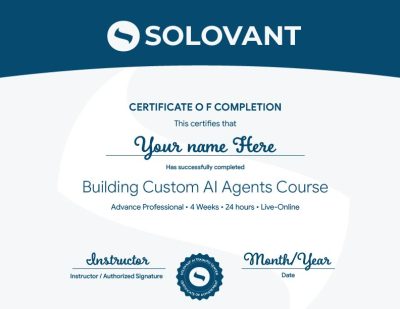
Certificate of Completion
Students who complete the course requirements will receive a SOLOVANT AI Agents & Business Automation Certificate.
The certificate reflects completion of a structured live online course focused on designing custom AI assistants, building knowledge-based systems, creating no-code automations, connecting business applications, and developing practical AI solutions for professional use.
Academic and Professional Teaching Model
SOLOVANT courses are designed for learners who want more than short tutorials or isolated software demonstrations. This course follows a structured academic and professional approach that combines technical instruction, guided practice, workflow design, project-based learning, testing, and instructor feedback.
Courses are taught by instructors with graduate-level education, university teaching experience, professional certifications, and experience in business, technology, education, digital workflows, and artificial intelligence.
The goal is to help students understand AI agents and automation as practical professional tools while developing the technical, strategic, and critical thinking skills needed to design reliable AI solutions for modern organizations.
AI in Business Automation Workflows
Artificial intelligence is becoming part of modern business operations, communication, customer support, research, and productivity. AI agents can assist with answering questions, organizing information, generating content, processing requests, connecting applications, and automating repetitive workflows.
This course introduces AI as a professional support system, not as a replacement for human judgment, expertise, or accountability. Students learn how to use AI strategically while maintaining control over workflow design, data quality, decision making, and final outcomes.
The course also develops critical awareness of AI limitations, including inaccurate responses, hallucinations, inconsistent performance, privacy concerns, security risks, bias, and the need for testing, human oversight, and continuous review.
Tuition:
Normal $690
Sale $590
What is included:
- SOLOVANT AI Agents & Business Automation Certificate
- 12 hours of live online instruction
- 4 instructor-led sessions
- Graduate-level professor
- Hands-on AI agent and automation projects
- Guided work with ChatGPT, OpenAI, knowledge bases, APIs, and no-code platforms
- Free course retake
- Recorded class sessions
- 25% discount on your next SOLOVANT course
- One-on-one mentoring included
Schedule
- Duration: 4 sessions
- Total Instruction: 12 hours
- Format: Live online
Saturday class: November 7th and 14th
- Time: 10:00 AM to 4:30 PM
Weeknight class: November 3rd, 5th, 10th, and 12th
- Time: 6:00 pm to 9:00 PM
-
Sale!
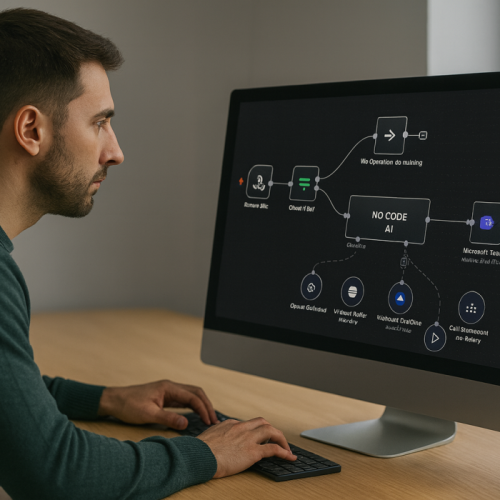
Ready to Build Custom AI Agents Without Coding?
Learn how to create AI assistants that automate workflows, answer questions, connect with business applications, and improve productivity without coding.
Apply ChatGPT, OpenAI, knowledge bases, APIs, Zapier, and Make to customer support, internal operations, content creation, and practical business automation while developing reliable and responsible AI solutions.
-
Sale!
Ready to Build Custom AI Agents Without Coding?
Learn how to create AI assistants that automate workflows, answer questions, connect with business applications, and improve productivity without coding.
Apply ChatGPT, OpenAI, knowledge bases, APIs, Zapier, and Make to customer support, internal operations, content creation, and practical business automation while developing reliable and responsible AI solutions.
Continue Into the Full Certificate Program
Students who complete this course may continue into the AI & Business Automation Professional Certificate, a comprehensive program that expands into AI productivity, intelligent automation, advanced no-code AI development, business workflows, and real-world AI implementation.
The certificate program prepares students to design, deploy, and manage AI-powered solutions across business, education, customer service, operations, and professional productivity. Through multiple hands-on projects, students develop practical skills that can be applied immediately in modern organizations.
This course serves as a strong foundation for professionals who want to expand their expertise in artificial intelligence and business automation.
Earn Your AI Agents & Business Automation Certificate
If you have any questions, feel free to contact us
We can schedule a Zoom or Phone Call to answer all your questions
hello@solovant.com