

Graphic Design & AI Certificate Program

Graphic Design, Adobe Photoshop, Illustrator, InDesign and AI integration
Learn graphic design, Adobe Creative Cloud, and AI-assisted creative workflows in a structured live online certificate program. The program combines core design principles, Photoshop, Illustrator, InDesign, advanced AI tools, and portfolio development through practical, project-based training.
Course Overview
The Graphic Design & AI Certificate Program is a structured live online program that combines graphic design fundamentals, Adobe Creative Cloud applications, and AI-assisted creative workflows. Students develop practical skills in visual communication while learning professional workflows used in branding, marketing, digital media, publishing, and creative production.
Throughout the program, students learn to edit and manipulate images in Adobe Photoshop, create scalable vector graphics and brand assets in Adobe Illustrator, and design professional layouts and multi-page publications in Adobe InDesign. Alongside software training, students develop a strong understanding of composition, typography, color, hierarchy, visual balance, and design thinking through hands-on projects and portfolio development.
Artificial intelligence is integrated throughout the program as a professional creative support tool. Students learn how AI can assist with ideation, image generation, visual exploration, layout planning, concept refinement, and production workflows while maintaining control over creative direction, technical quality, originality, and design intent.
Designed for learners who want more than software tutorials, the program combines instructor demonstrations, guided practice, project-based learning, critique, and personalized feedback. Students graduate with practical experience across Adobe Creative Cloud, AI-assisted design workflows, and a portfolio of professional-quality projects.
Who This Program Is For
This certificate program is designed for students, beginning designers, creative professionals, marketing professionals, entrepreneurs, and content creators who want a structured path into graphic design and AI-assisted creative workflows.
It is appropriate for beginners who want to build a professional foundation in graphic design, as well as learners who already use design tools but want a more organized understanding of composition, typography, color, layout, branding, Adobe Creative Cloud, and AI-supported workflows.
This program is also a strong fit for professionals who need to create stronger visual content for business, marketing, communications, digital media, publishing, or portfolio development.
No advanced design background is required, but students should be prepared for a rigorous, hands-on learning experience.
Learning Outcomes
- By the end of this certificate program, students will be able to:
- Apply core principles of graphic design, including composition, typography, color, hierarchy, contrast, alignment, and visual balance.
- Edit, retouch, correct, and manipulate images using Adobe Photoshop.
- Create scalable vector graphics, logos, icons, illustrations, and brand assets using Adobe Illustrator.
- Design professional layouts, multi-page documents, brochures, publications, and digital documents using Adobe InDesign.
- Use AI-assisted tools to support ideation, visual exploration, image development, layout planning, creative iteration, and project refinement.
- Develop design projects across raster, vector, and layout-based workflows for print, digital media, marketing, branding, and portfolio use.
- Evaluate and improve visual work using design terminology, critique methods, and professional feedback.
- Prepare and present a final portfolio or case study that communicates the student’s design process, creative decisions, and final outcomes.
What You Will Create
By the end of the program, students will complete a series of applied design projects that can support portfolio development. Projects may include:
- An image editing, retouching, cleanup, or color correction project in Adobe Photoshop.
- A photo manipulation or composited image using multiple visual elements.
- A vector logo, icon set, illustration, or brand asset system in Adobe Illustrator.
- A typography, color, or visual identity study.
- A brochure, flyer, magazine spread, catalog, or multi-page publication in Adobe InDesign.
- AI-assisted concept explorations, image generation, visual refinement, content planning, and layout iterations.
- A final portfolio presentation or case study showcasing the student’s design process, creative decisions, and completed projects.
Program Structure
This certificate program includes live online instruction delivered through a structured sequence of modules covering graphic design foundations, Adobe Photoshop, Adobe Illustrator, Adobe InDesign, AI-assisted creative workflows, and portfolio development. Classes combine instructor demonstrations, guided practice, hands-on exercises, critiques, and project-based learning focused on practical professional design workflows.
Each module introduces core design concepts, software skills, and applied projects that help students build confidence and improve their work during class. Students who successfully complete the full program and final portfolio project earn the Solovant Graphic Design & AI Certificate.

If you have any questions, feel free to contact us
We can schedule a Zoom or Phone Call to answer all your questions
hello@solovant.com
+1(929) 466-6296
Course Modules

Module 1: Design Foundations & Applied Design
This module introduces graphic design as a system for visual communication, creative problem-solving, and professional decision-making. Students learn how composition, typography, color, hierarchy, alignment, and visual balance work together to create clear, intentional, and effective designs.
Session 1: Design Research, Strategy and Creative Briefs
The first session introduces students to graphic design as a process of research, communication, problem-solving, and intentional decision-making. Students learn how designers define a design challenge, understand a client’s needs, identify an audience, and establish a clear strategic direction before developing visual concepts.
Topics Covered
- What graphic design is and how it communicates ideas
- The role and responsibilities of a graphic designer
- Understanding the client, audience, purpose, message, and context
- Introduction to the graphic design process
- Defining a design challenge
- Client briefs and creative briefs
- Research methods for graphic design projects
- Audience analysis and user personas
- Competitor research and basic SWOT analysis
- Introduction to brand strategy and positioning
- Brainstorming, mind mapping, and idea generation
- Presenting research and explaining strategic decisions
Session 2: Visual Composition, Grids and Sketching
This session focuses on the visual elements and design principles used to organize information, guide attention, and build effective compositions. Students learn how designers use sketches, grids, proportion, spacing, and visual structure to explore layout ideas before moving into digital production.
Topics Covered
- Line, shape, form, texture, space, and value
- Balance, contrast, emphasis, and visual weight
- Hierarchy, focal points, and visual flow
- Alignment, proximity, repetition, rhythm, and unity
- Scale, proportion, positive space, and negative space
- Introduction to Gestalt principles
- Thumbnail sketching and rapid concept exploration
- Grid systems, margins, columns, and guides
- Rule of thirds and golden ratio
- Basic perspective and vanishing points
- Using sketches to plan print and digital layouts
- Analyzing strong and weak compositions
Session 3: Typography, Color Theory and Visual Identity
This session explores how typography and color influence meaning, emotion, readability, and brand perception. Students learn how designers make intentional visual decisions by selecting typefaces, building color systems, and creating consistent visual identities that communicate effectively across different audiences and media.
Topics Covered
- The history and evolution of typography
- Typeface classifications and anatomy
- Readability, legibility, and typographic hierarchy
- Font pairing and visual personality
- Lettering and expressive typography
- Introduction to color theory and the color wheel
- Color harmony, contrast, and accessibility
- Color psychology and cultural meaning
- Building color palettes and visual systems
- Introduction to branding and visual identity
- Mood boards and stylescapes
- Graphic design movements and their influence on contemporary design
Session 4: Integrated Design Foundations Project
The final session brings together the research, strategy, visual communication, composition, typography, color, and identity concepts developed throughout the course. Students refine and present a complete design direction while receiving instructor feedback on the clarity, consistency, and strength of their decisions.
Topics Covered
- Reviewing the client and creative brief
- Connecting research to visual decisions
- Refining the audience, persona, and brand strategy
- Selecting and improving the strongest concept
- Applying composition, grids, hierarchy, and visual flow
- Refining typography and color systems
- Connecting the visual direction to relevant graphic design movements
- Creating consistency across mood boards, stylescapes, and sketches
- Writing a clear design rationale
- Presenting creative work professionally
- Giving and receiving constructive critique
- Planning the next stage of digital production
Final Project
Students will present a complete graphic design foundations project for a real or fictional client. The project includes the design challenge, research summary, audience persona, competitor analysis, creative brief, basic brand strategy, mood board, stylescape, typography and color direction, composition sketches, grid studies, and a written design rationale.
Examples of Classwork


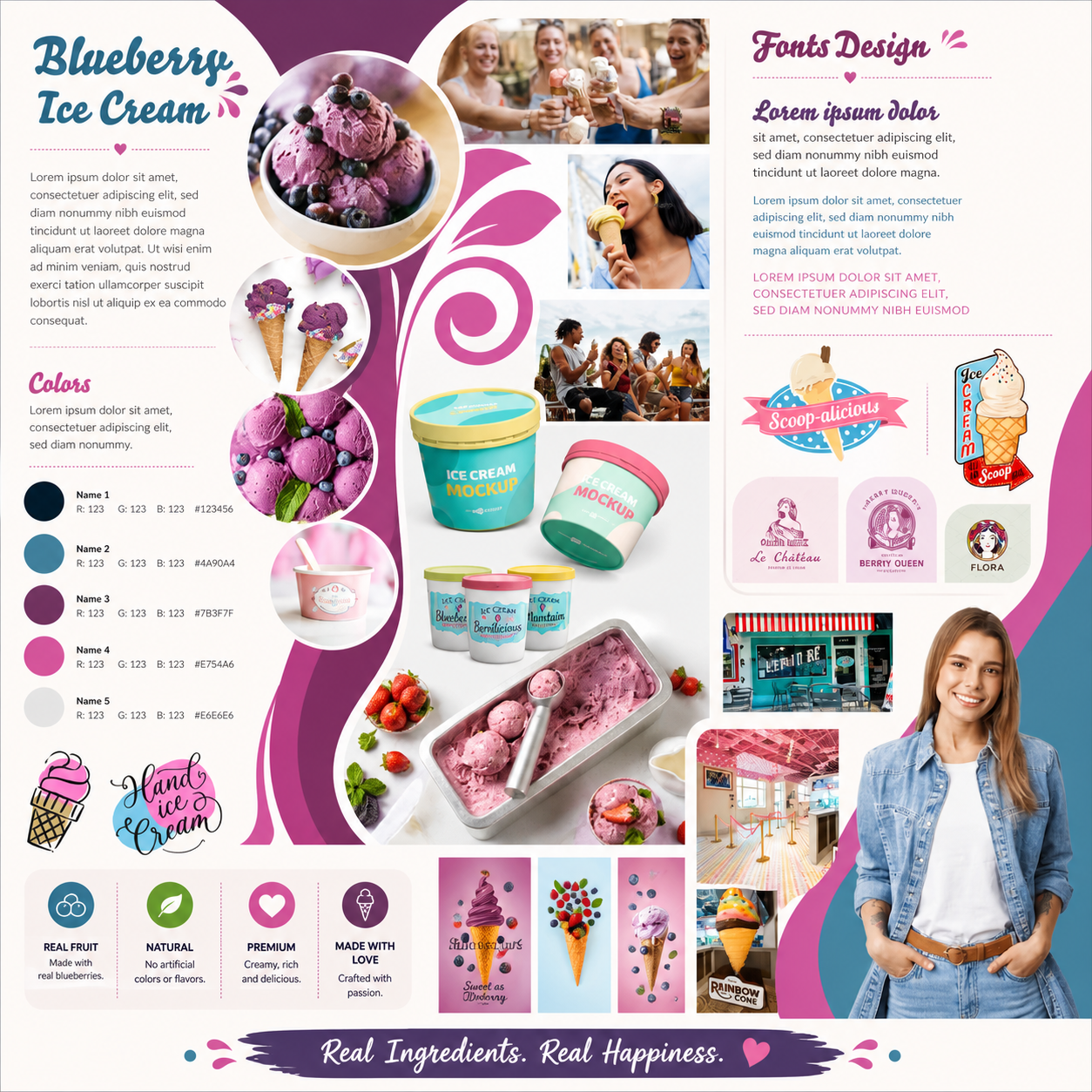
Want to study this module separately?
This Graphic Design module is also available as a standalone 4-class course for students who want focused training in Graphic Design.
View the Graphic Design Foundations


Module 2: Adobe Photoshop for Image Editing & Photo Manipulation
This module develops professional image-editing skills using Adobe Photoshop. Students learn industry-standard workflows for image correction, retouching, compositing, and AI-assisted creative production while completing practical projects throughout the module.
Session 1: Photoshop Essentials
Learn the Photoshop interface, layers, selections, masks, adjustment layers, typography, image resolution, and non-destructive editing workflows.
Topics Covered
- Photoshop workspace
- Layers and masks
- Selections
- Color correction
- Typography
- Exporting for print and web
Session 2: Professional Photo Retouching
Develop professional retouching techniques for portraits and products using non-destructive workflows and color correction.
Topics Covered
- Healing tools
- Clone Stamp
- Dodge and Burn
- Object removal
- Skin retouching
- Smart Objects
Session 3: Photo Manipulation & AI Workflows
Combine multiple images into realistic compositions while learning AI-assisted tools for creative image editing.
Topics Covered
- Advanced masking
- Photomontage
- Blend modes
- Lighting and shadows
- Color grading
- Generative Fill
- Generative Expand
Session 4: Portfolio Project
Complete a professional Photoshop project that integrates the techniques learned throughout the module while receiving instructor feedback.
Topics Covered
- Project planning
- Composition
- Typography
- Professional exports
- Portfolio presentation
Examples of Classwork
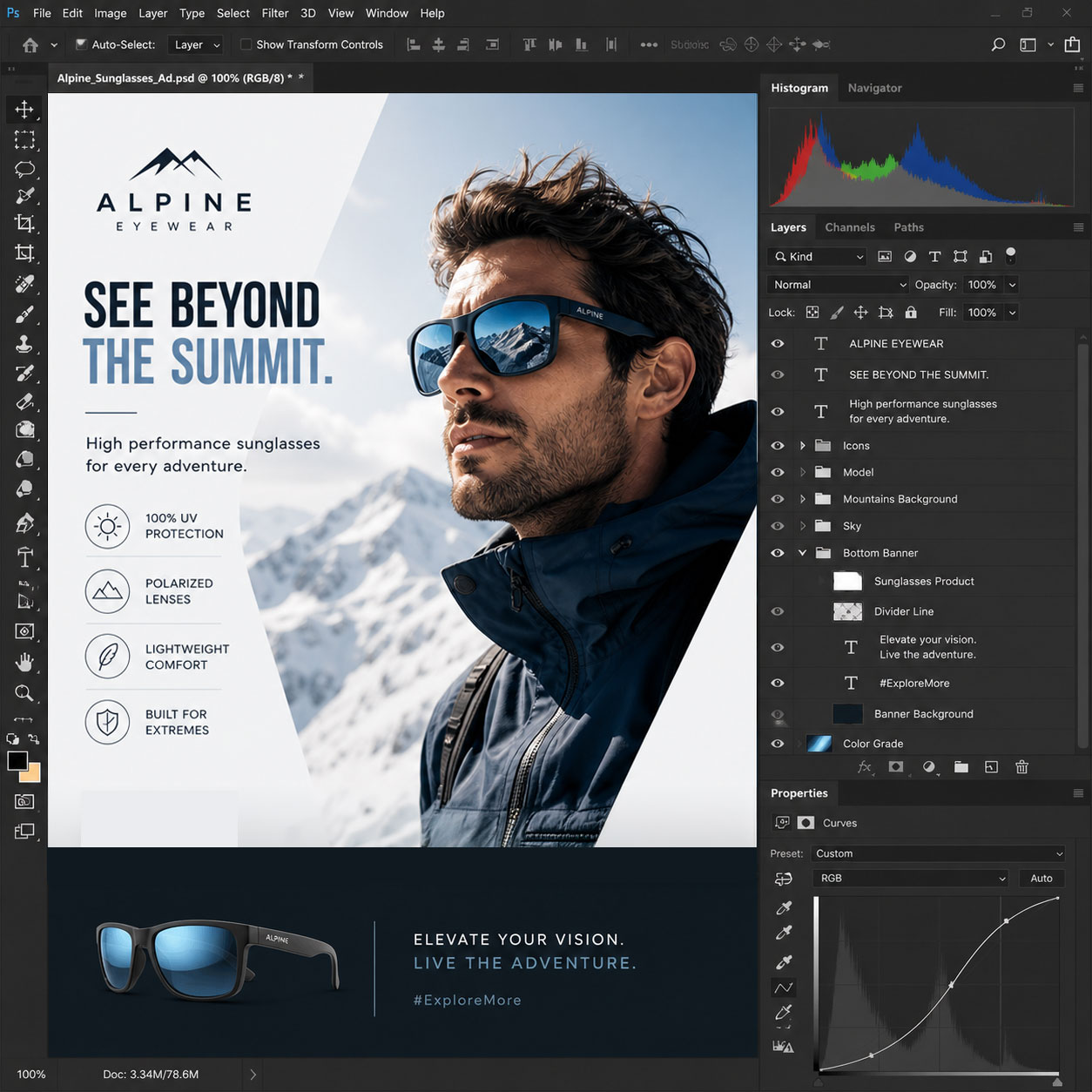
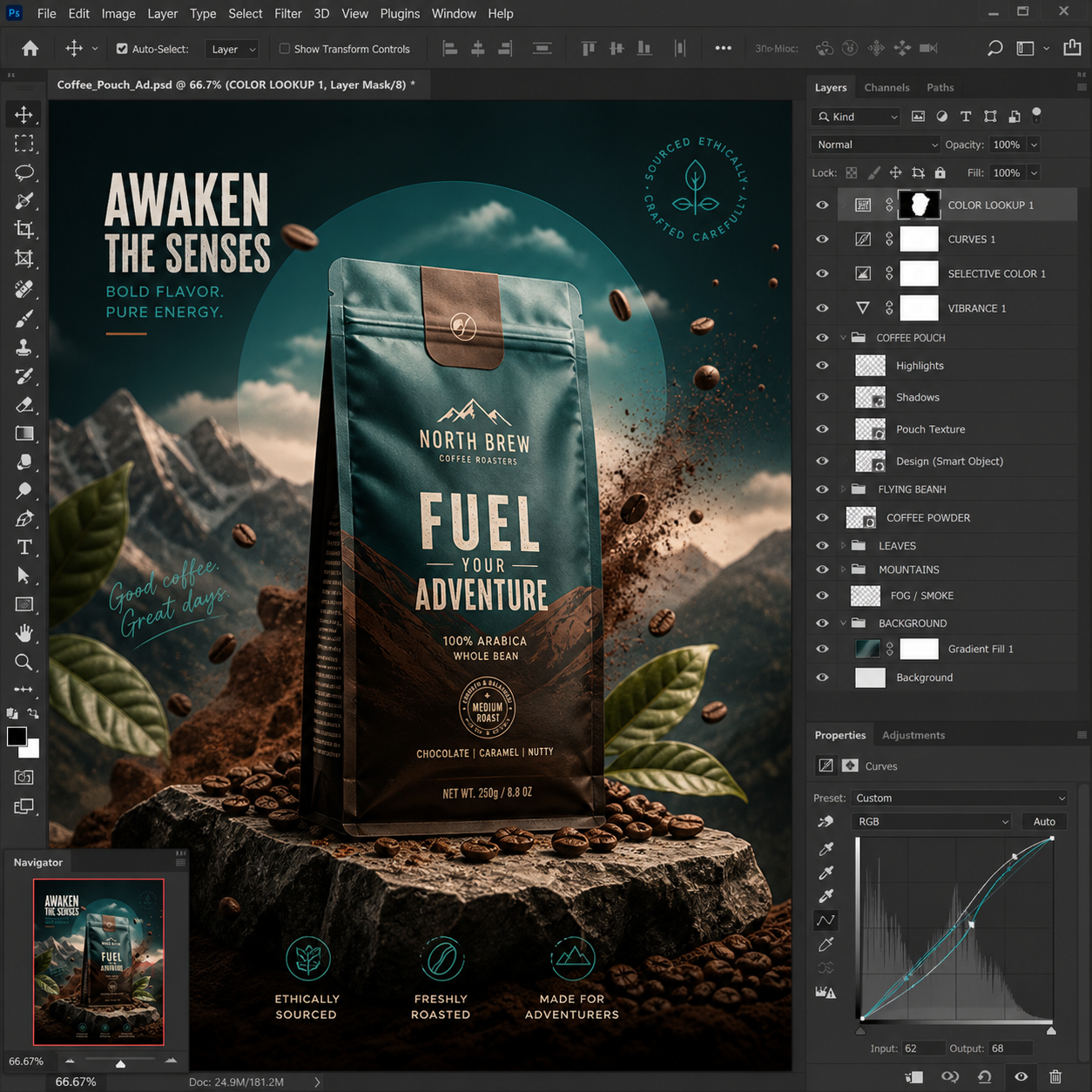
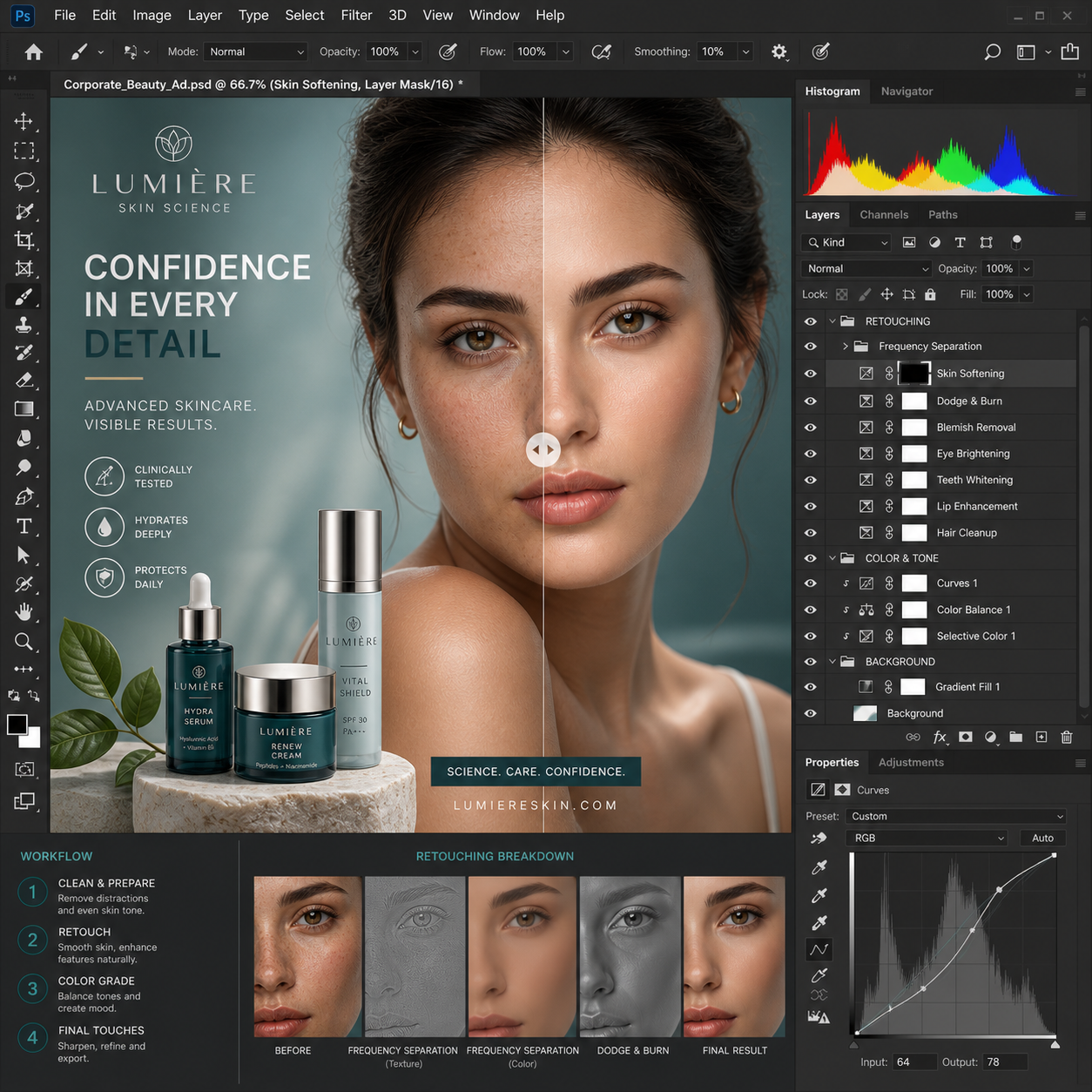
Want to study this module separately?
This Photoshop module is also available as a standalone 4-class course for students who want focused training in retouching, photo manipulation, compositing, and AI-assisted image workflows.
View the Adobe Photoshop Course

Module 3: Adobe Illustrator for Vector Graphics & Logo Design
This module develops professional vector design skills using Adobe Illustrator. Students learn industry-standard workflows for creating logos, illustrations, icons, brand assets, and scalable graphics while exploring AI-assisted creative workflows through practical projects.
Session 1: Illustrator Essentials
Learn the Illustrator interface, artboards, vector fundamentals, shapes, paths, typography, color, and document setup for print and digital media.
Topics Covered
- Illustrator workspace
- Artboards and document setup
- Vector vs. raster graphics
- Shapes and path editing
- Layers and object organization
- Color, fills, and strokes
- Typography basics
- Exporting files
Session 2: Logo Design & Vector Illustration
Develop precision drawing skills while creating logos, icons, and vector illustrations for branding and visual communication.
Topics Covered
- Pen Tool
- Shape Builder Tool
- Pathfinder
- Logo construction
- Custom icons
- Typography in logos
- Color palettes
- Brand assets
Session 3: Advanced Illustration & AI Workflows
Create professional vector artwork while integrating AI-assisted tools to accelerate concept development and creative production.
Topics Covered
- Advanced Pen Tool techniques
- Gradients and Gradient Mesh
- Patterns and brushes
- Clipping masks
- Image Trace
- Adobe Firefly integration
- Generative Recolor
- AI-assisted creative workflows
Session 4: Portfolio Project
Complete a professional branding, illustration, or promotional design project that demonstrates the techniques learned throughout the module while receiving instructor feedback.
Topics Covered
- Project planning
- Brand identity development
- Illustration refinement
- Typography and layout
- Print and digital exports
- Portfolio presentation
Examples of Classwork


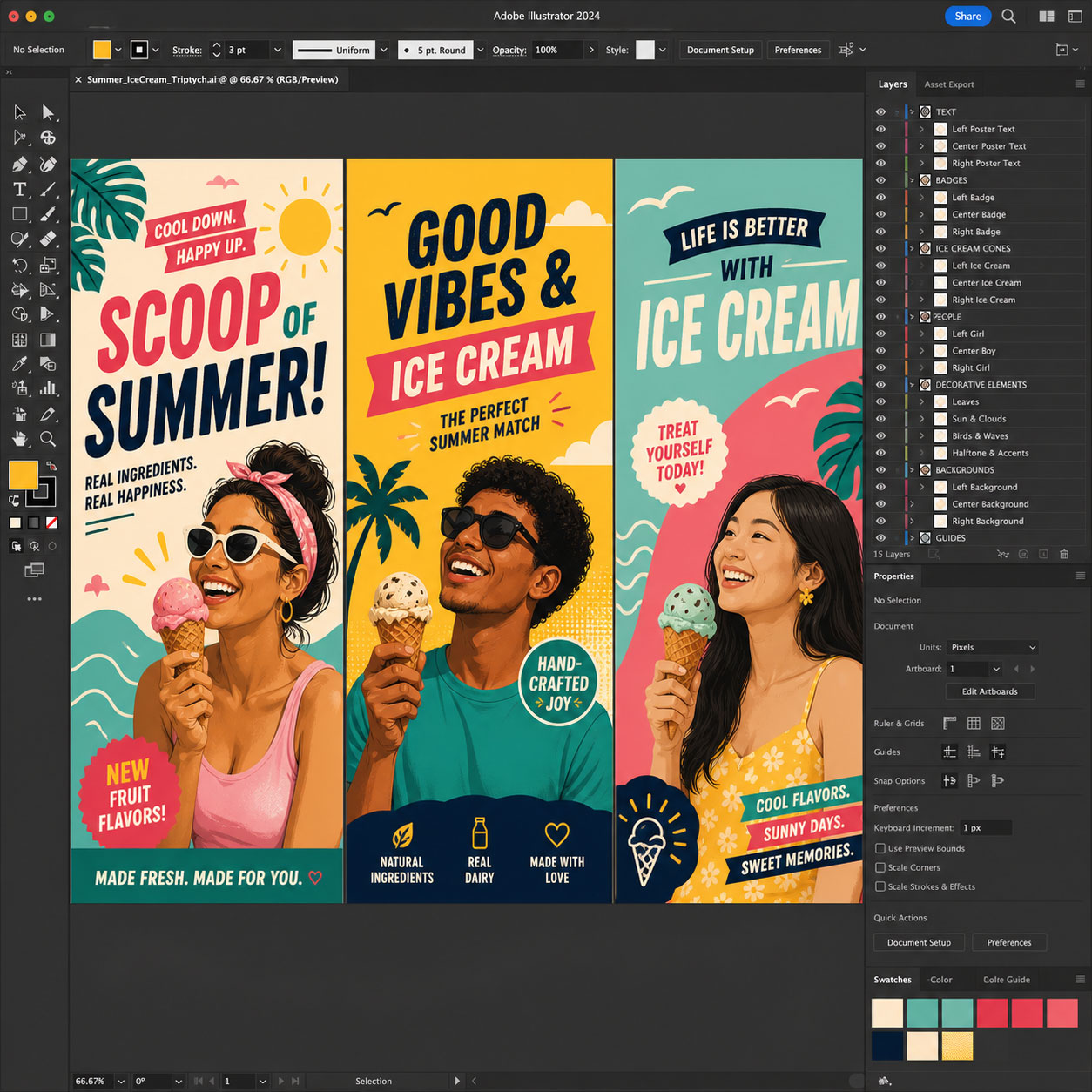
Want to learn more about this module?
View the complete Adobe Illustrator Course to explore the full curriculum, session details, learning outcomes, projects, schedule, and certificate information.
View the Adobe Illustrator Course

Module 4: Adobe InDesign for Layout Design & Digital Publishing
This module develops professional layout and publishing skills using Adobe InDesign. Students learn industry-standard workflows for creating brochures, magazines, reports, catalogs, and digital publications while integrating Photoshop and Illustrator assets into professional layouts.
Session 1: InDesign Essentials
Learn the InDesign interface, document setup, pages, grids, typography, image placement, and the core tools used in professional page layout.
Topics Covered
- InDesign workspace
- Document setup
- Margins, columns, and bleeds
- Pages and Parent Pages
- Text and image frames
- Typography fundamentals
- Paragraph and character styles
- Exporting documents
Session 2: Typography & Multi-Page Documents
Develop professional typography and document organization skills while creating structured multi-page publications.
Topics Covered
- Paragraph and character styles
- Object styles
- Typography and visual hierarchy
- Text flow across pages
- Parent Pages
- Headers and page numbering
- Tables and graphics
- Reusable layout elements
Session 3: Professional Publishing & AI Workflows
Learn advanced publishing techniques while exploring AI-assisted workflows that support content planning, layout development, and production.
Topics Covered
- Advanced layout techniques
- Photoshop and Illustrator integration
- Packaging files for production
- Interactive PDF features
- Digital publishing
- AI-assisted content planning
- Layout refinement
- Preflight and quality control
Session 4: Portfolio Project
Complete a professional publication that demonstrates the techniques learned throughout the module while receiving instructor feedback.
Topics Covered
- Project planning
- Multi-page publication design
- Typography refinement
- Print and digital exports
- Professional publishing workflow
- Portfolio presentation
Examples of Classwork

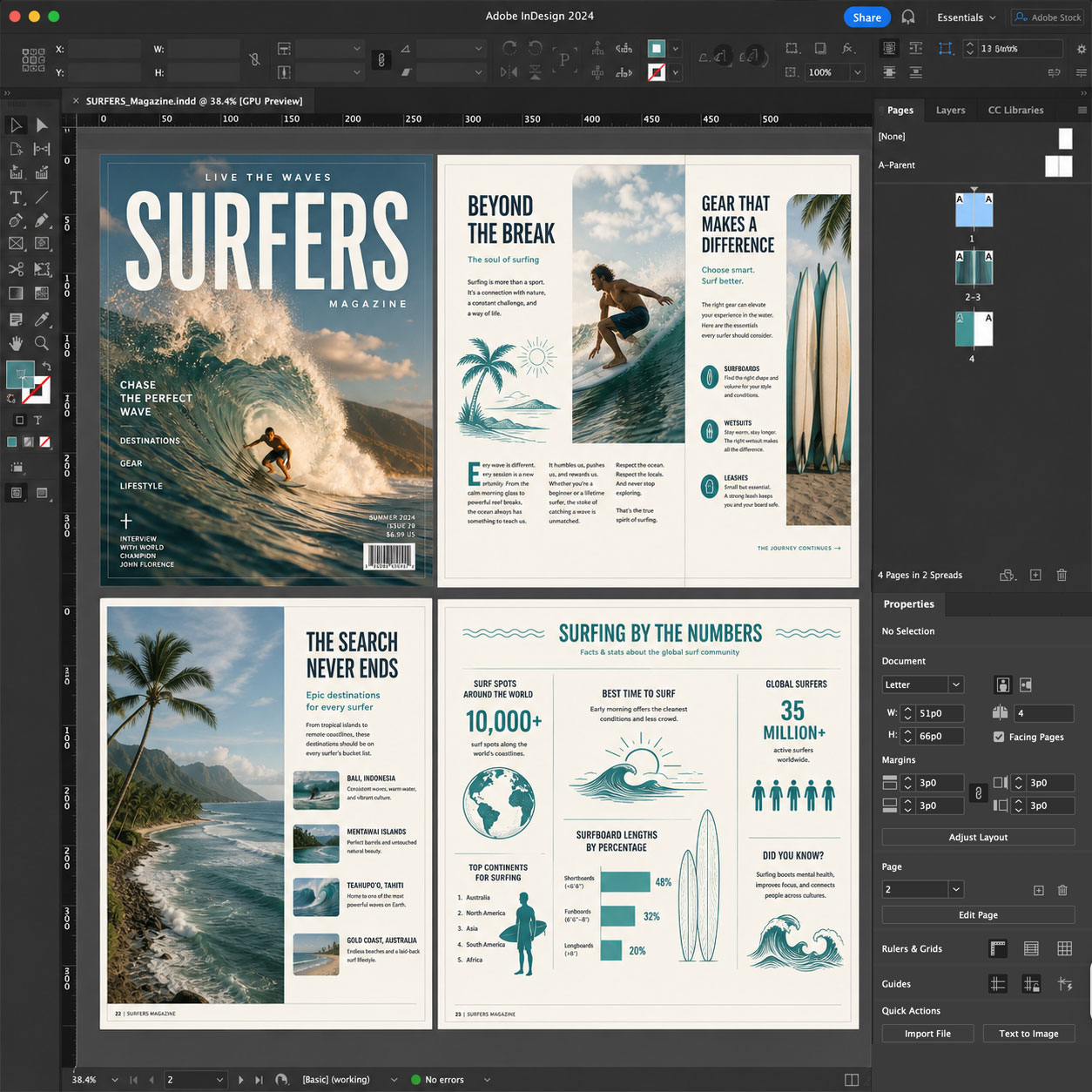
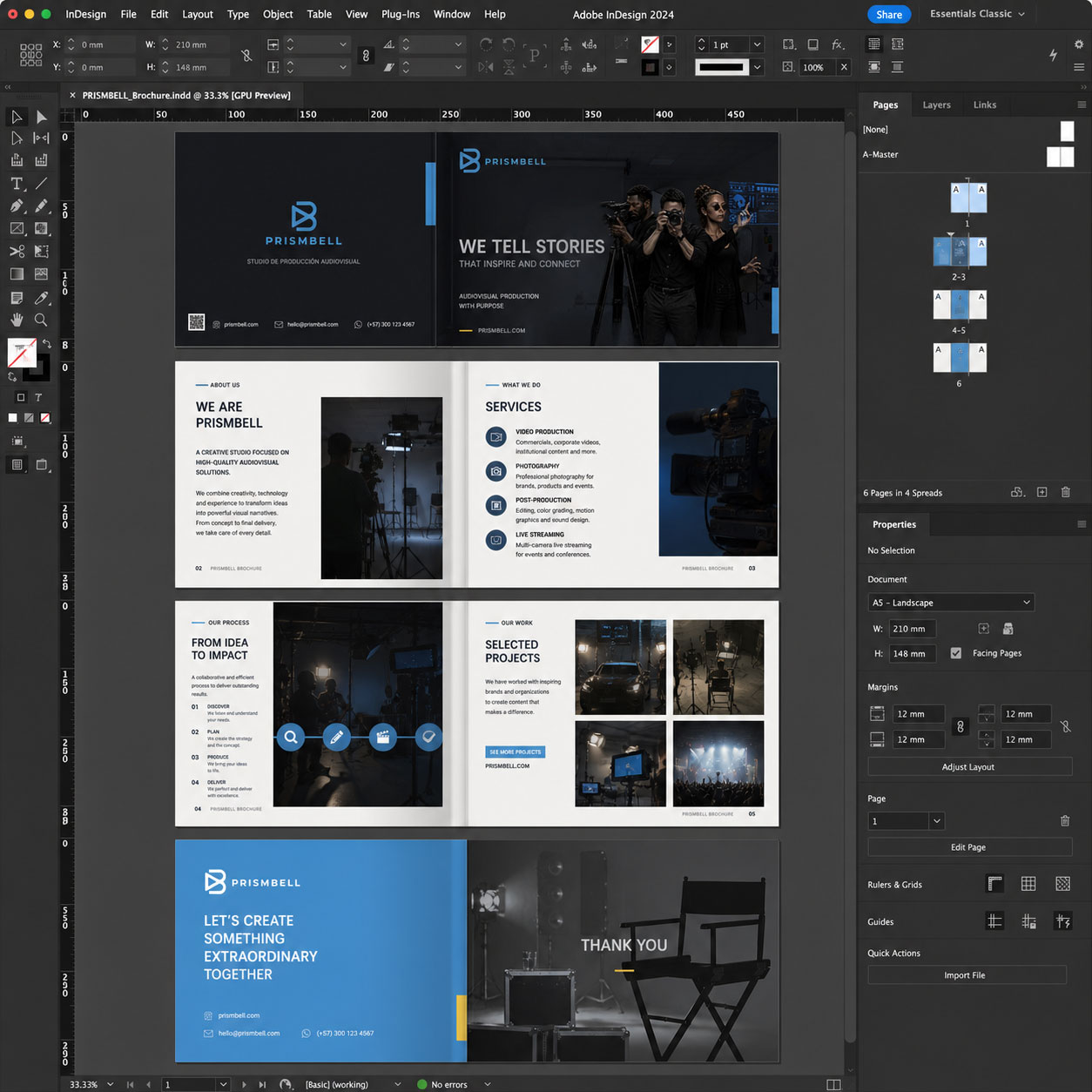
Want to learn more about this module?
View the complete Adobe InDesign Course to explore the full curriculum, session details, learning outcomes, projects, schedule, and certificate information.
View the Adobe InDesign Course

Module 5: Advanced AI for Graphic Design, Portfolio Design and Presentations
This section focuses on developing a professional design portfolio that consolidates and presents work produced throughout the program. Students will curate projects from previous modules and transform them into structured case studies that clearly communicate the concepts, processes, and outcomes.
What You Will Learn
- Generate visual concepts and branding assets using text-to-image AI tools
- Integrate AI into Adobe Creative Cloud workflows for ideation and design refinement in Photoshop, Illustrator, and InDesign
- Apply ethical, aesthetic, and brand-aware practices in AI-assisted design
- Streamline design production while maintaining originality and visual coherence
- Iterate quickly through multiple design directions using AI-driven workflows
Students are expected to:
Review and refine projects from previous modules.
Develop structured case studies.
Organize work into a cohesive portfolio system.
Participate in discussion and critique.
Attend weekly live online sessions for review and feedback.
Examples of Classwork
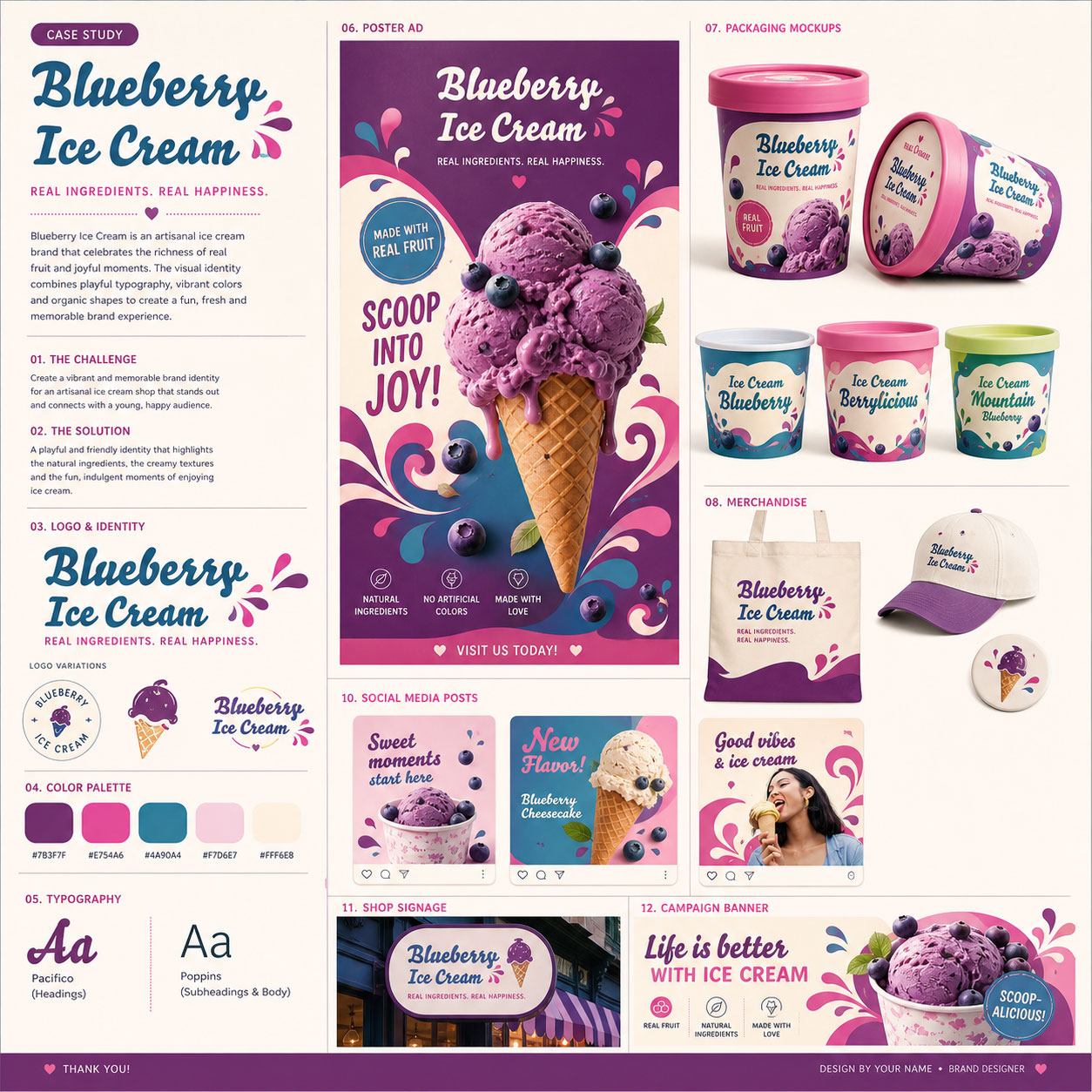
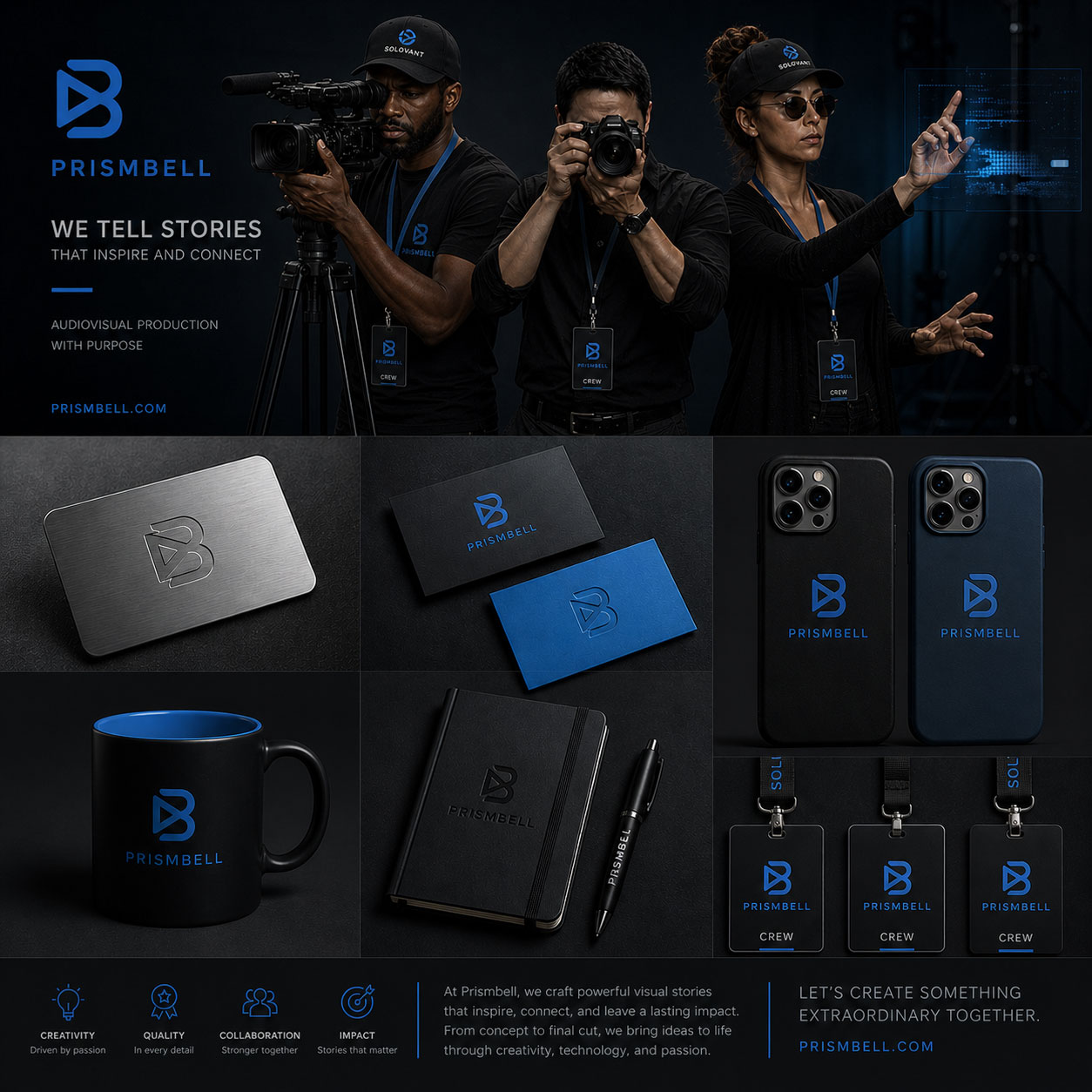
Want to study this module separately?
This Advanced Graphic Design module is also available as a standalone 4-class course for students seeking focused training in AI integration in Photoshop, Illustrator, InDesign and graphic design workflows.
-
Sale!

Graphic Design and Artificial Intelligence Certificate Program
Live online
Develop practical skills in graphic design, Adobe Photoshop, Illustrator, InDesign, AI-assisted workflows, and portfolio development through a structured 10-week certificate program.
After you enroll, you will receive access to the course portal and details for the first class orientation session.
Questions? Contact us to schedule a Zoom or phone call.
Information
Schedule:
Start Date: Saturday, Jan 9th, 2027
Duration: 10 weeks of live online, project-based training
Module 1: Design Foundations & Applied Design
Saturdays, January 9 and January 16
Module 2: Adobe Photoshop for Image Editing & Photo Manipulation
Saturdays, January 23 and January 30
Module 3: Adobe Illustrator for Vector Graphics & Logo Design
Saturdays, February 6 and February 13
Module 4: Adobe InDesign for Layout Design & Digital Publishing
Saturdays, February 20 and February 27
Module 5: Advanced AI for Graphic Design, Portfolio Design & Presentations
Saturdays, March 6 and March 13
Tuition
$4,830; $2,690 (limited seats)
Certificate: Students who complete the program requirements earn the Solovant Graphic Design & AI Certificate.
Questions? Contact us at hello@solovant.com to schedule a Zoom or phone call.