
Adobe Premiere:

Advanced Editing
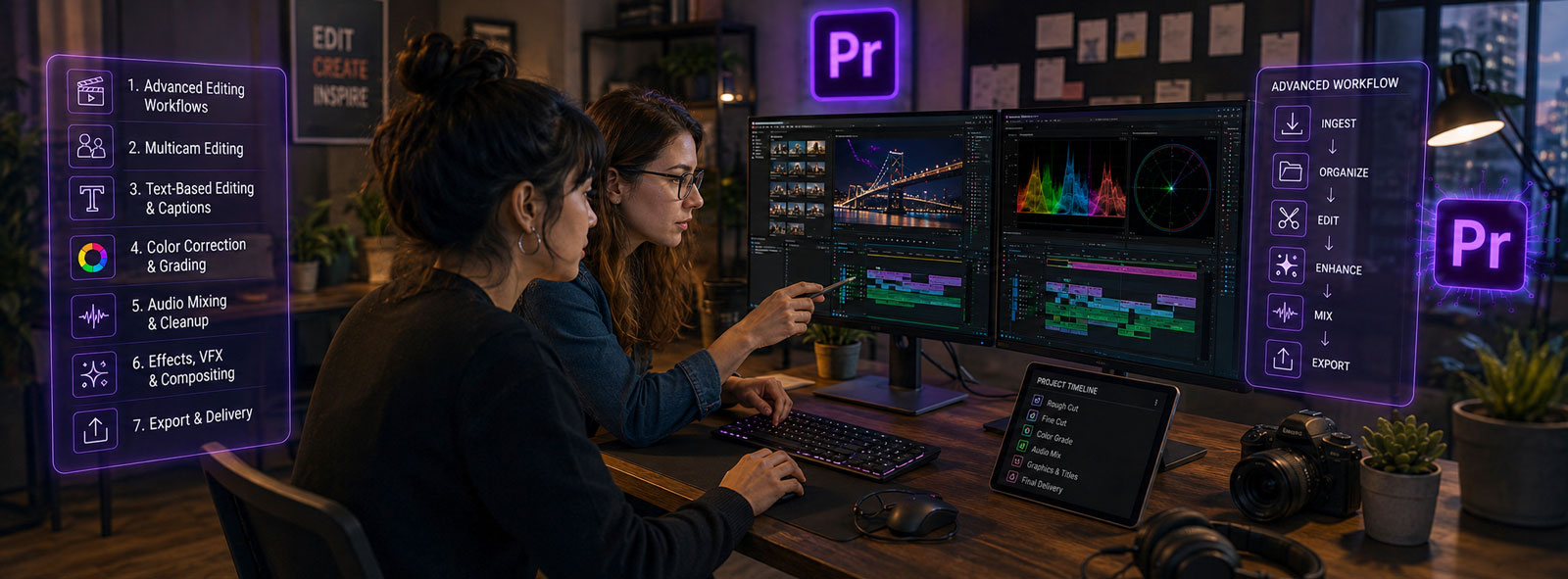
Develop advanced video editing and post-production skills in a focused live online course covering narrative editing, precision trimming, multicamera workflows, color correction, audio repair, motion graphics, compositing, custom transitions, speed effects, and professional export workflows using Adobe Premiere.
Course Overview
Adobe Premiere: Advanced Editing is an intermediate-to-advanced video editing course designed for students who already understand the basic Premiere workflow and want to develop stronger editorial, technical, and finishing skills. Students will move beyond simple timeline editing to work with narrative structure, dialogue-driven editing, metadata-based organization, multicamera footage, advanced trimming, transcripts and captions, color correction with scopes, audio repair and mixing, effects-driven transitions, mattes, blending modes, speed manipulation, and professional export workflows.
The course emphasizes both editing technique and post-production problem solving. Students will complete a series of guided practice projects that mirror real editing challenges, including assembling a short scene, refining a rough cut, syncing multicamera footage, improving dialogue and audio, stylizing action footage, correcting color, creating custom transitions, and preparing finished media for multiple platforms.
About This Course
This course expands students’ Premiere skills by focusing on advanced editorial workflow, timeline precision, media organization, finishing techniques, and delivery preparation. Students will learn how to work more deliberately as editors by organizing footage, building stronger rough cuts, refining dialogue and pacing, using advanced trimming tools, managing multicamera edits, applying captions and transcripts, correcting color with scopes, and improving audio quality.
The course also introduces modern Premiere features that support current professional workflows, including Text-Based Editing, media intelligence search, captions-to-graphics workflows, Color Management, Generative Extend, modern masks, Motion Graphics Templates, Dynamic Link, Audition integration, advanced effects, and multi-format export.
Students will be encouraged to think of Premiere not only as a software application, but as a professional editing environment where story, organization, technical control, and finishing decisions all work together.

Who Should Attend
This course is intended for:
- Video editors with basic Premiere Pro experience who want to work more efficiently and professionally
- Content creators, marketers, educators, and media professionals who regularly produce video
- Videographers and filmmakers editing interviews, narrative scenes, events, promotional content, or social media videos
- Motion graphics artists, photographers, and designers expanding their post-production skills
- Editors who want stronger workflows for multicamera editing, color correction, audio repair, effects, captions, and delivery
- Users transitioning from Final Cut Pro, DaVinci Resolve, Avid, or another editing platform who already understand basic editing concepts
- Premiere Pro users preparing for more advanced work in motion graphics, audio production, color grading, or portfolio development
Course Benefits
By completing this course, students will:
- Strengthen their ability to edit a wide range of video content, including narrative, interview, action, promotional, and social media footage, using advanced timeline techniques and storytelling strategies
- Develop efficient workflows for organizing, searching, and managing media using metadata, markers, bins, and modern media intelligence tools
- Enhance visual and audio quality through color correction, sound editing, multicamera workflows, captions, and transcript-based editing
- Create polished, professional videos using custom effects, transitions, motion graphics, and optimized export settings for multiple platforms
Course Outcomes
By the end of this course, students will be able to:
- Organize and manage complex Premiere projects using advanced workspace customization, metadata, and media organization tools
- Build and refine professional edits using advanced timeline techniques, multicamera workflows, and text-based editing tools
- Enhance video and audio quality through color correction, audio mixing, compositing, and effects
- Export and deliver finished media for multiple platforms using appropriate formats, settings, and workflows
Learning Objectives
During this course, students will learn how to:
- Organize and manage complex projects using customized workspaces, metadata, markers, transcripts, and search tools
- Apply advanced editing techniques, including narrative structure, three-point editing, trimming, multicamera workflows, and text-based editing with captions
- Enhance video and audio using color correction, color management, compositing, effects, motion graphics, and audio repair workflows
- Finalize projects with time manipulation, stylized treatments, and professional export and archiving practices
List of Course Topics
- Advanced Project Organization
Custom workspaces, metadata, labels, markers, bins, media intelligence, search, and project management. - Narrative Editing
Assembly edits, rough cuts, dialogue-driven editing, cutaways, continuity, pacing, and scene structure. - Precision Timeline Editing
Three-point editing, subclips, Automate to Sequence, sync, split edits, ripple, roll, slip, slide, and trim mode. - Multicamera Editing
Multicam source sequences, sync methods, camera switching, multicam refinement, external audio, and camera organization. - Color Correction and Color Management
Lumetri Color, scopes, shot matching, adjustment layers, LUTs, log/raw workflows, SDR/HDR concepts, and output color settings. - Advanced Audio
Clip effects, track effects, Essential Sound, dialogue repair, audio channel mapping, Audition integration, noise reduction, and final mix preparation. - Graphics and After Effects Integration
Advanced titles, Motion Graphics Templates, template editing, Dynamic Link, After Effects compositions, and linked design assets. - Compositing and Transparency
Opacity, masks, mattes, Track Matte Key, alpha vs. luma, blend modes, overlays, light leaks, keying, and reveal effects. - Effects and Custom Transitions
Adjustment layers, copied effects, presets, stylized treatments, glitch effects, blur transitions, overlays, and reusable animation presets. - Speed and Time Effects
Speed/Duration, Rate Stretch, time remapping, speed ramps, freeze frames, time glitches, action editing, and Generative Extend. - Export and Delivery
Premiere export, Adobe Media Encoder, social formats, web formats, mobile delivery, captions, bitrate, codecs, color settings, and project archiving.
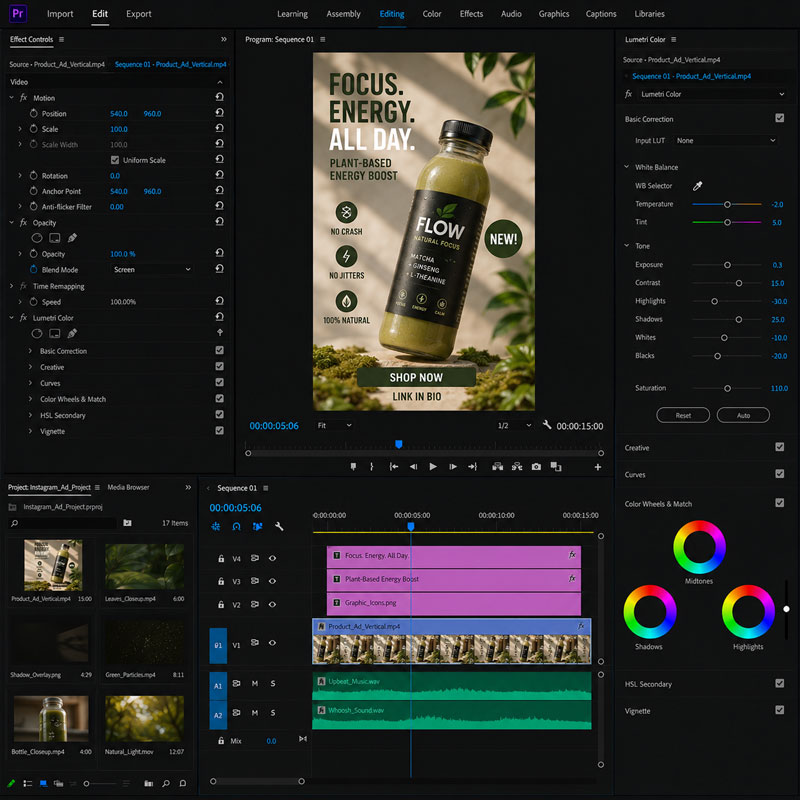
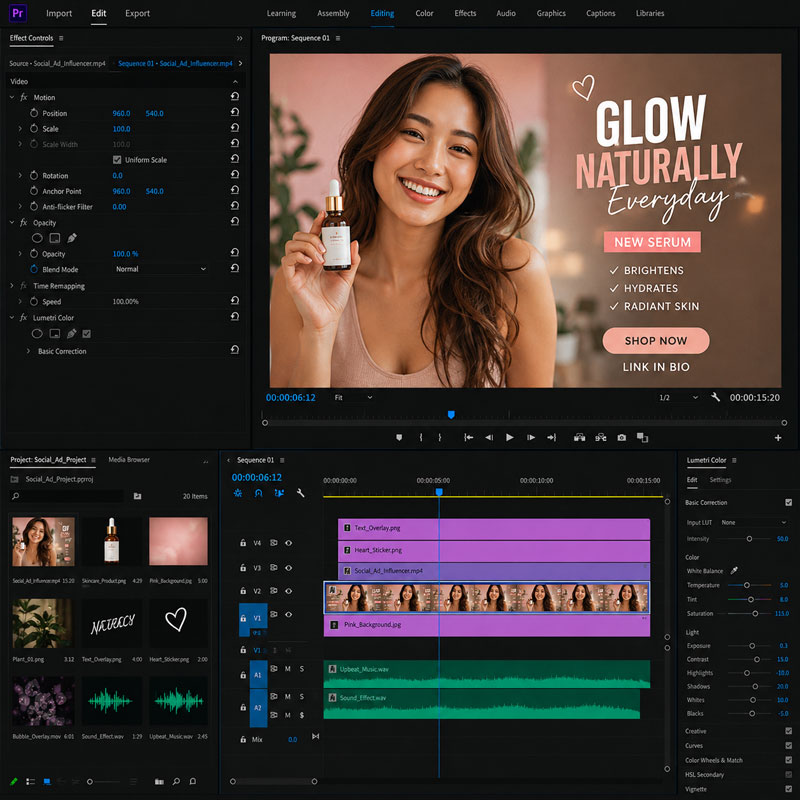
Examples of Classwork
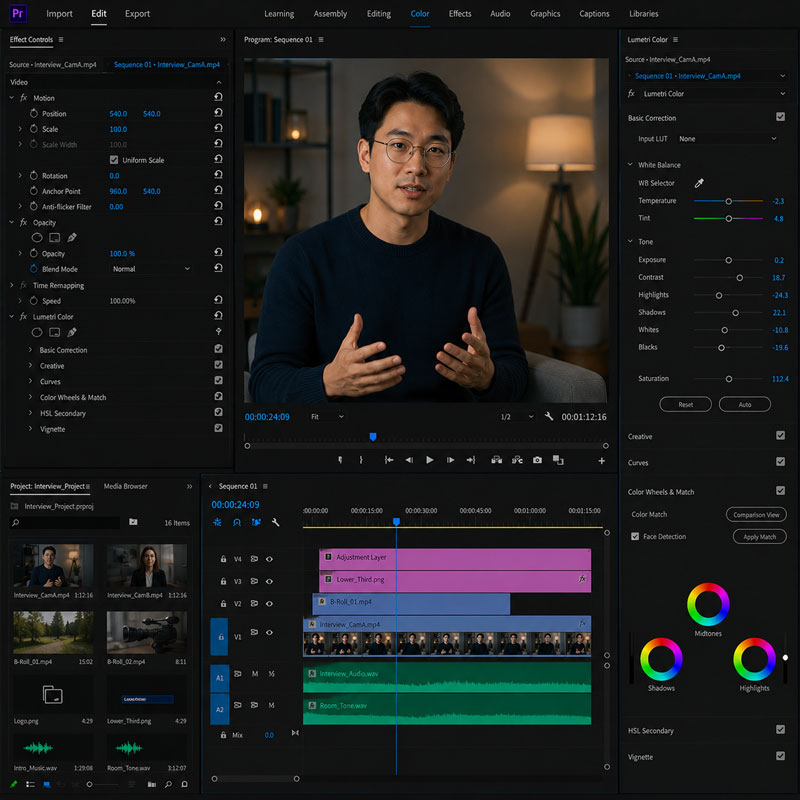
Course Structure
This live online course is organized into focused instructional sessions that combine instructor demonstrations, guided practice, advanced editing exercises, feedback, and project-based learning centered on professional post-production workflows.
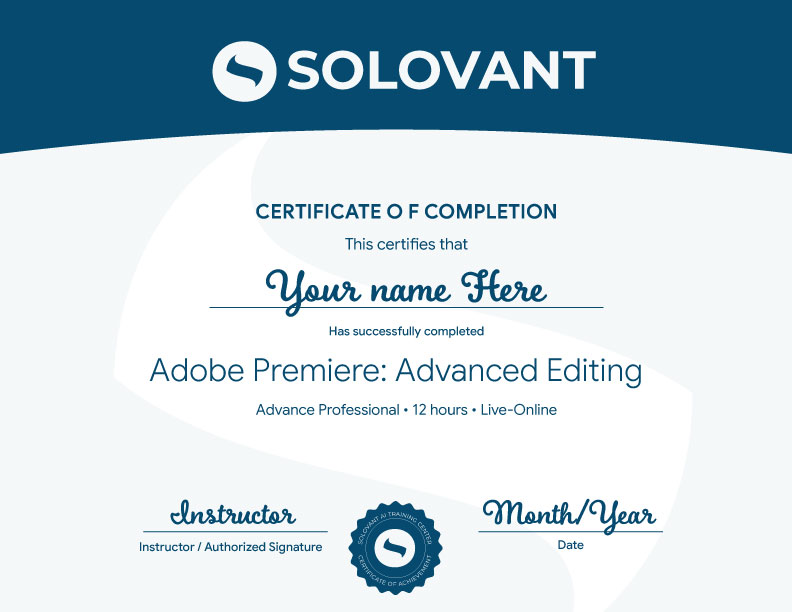
Each module introduces advanced Adobe Premiere techniques and includes applied exercises that help students strengthen editorial judgment, technical control, and workflow efficiency. Students who successfully complete the full course earn the Solovant Adobe Premiere Advanced Editing Certificate, demonstrating intermediate-to-advanced skills in narrative editing, precision trimming, multicamera workflows, color correction, audio repair, motion graphics, compositing, effects, speed manipulation, captions, export, and professional media delivery.
Topical Outline
Module 1: Digital Video Fundamentals
- Video Basics
- Resolution, frame rate, aspect ratio, and pixel aspect ratio
- Codecs and containers: H.264, H.265/HEVC, ProRes, DNxHD/DNxHR, MP4, & MOV
- Understanding timecode
- Overview of Premiere integration with After Effects, Photoshop, Illustrator, Media Encoder, Frame.io, and Adobe Firefly workflows
- The Editor as Storyteller
Module 2: The Premiere Interface and Project Setup
- Creating a new project
- Importing footage
- Understanding the Workspace: Project panel, Source Monitor, Program Monitor, Timeline, Text panel, Effects panel, Properties panel, and Export workspace
- Creating bins and organizing media
- Locating missing media and relinking files
- Using search and AI-powered media intelligence to help locate footage in larger projects
Module 3: Working with the Timeline
- Creating sequences from clips & adding clips to the timeline
- Understanding tracks, playhead, time ruler, snapping, and linked selection
- A-roll, B-roll, cutaways, and cut-ins
- Insert edits vs. overwrite edits
- Selecting, moving, trimming, and deleting clips
Module 4: Refining the Edit
- Using the Razor tool and Selection tool
- Ripple and rolling edits
- Slip edits and slide edits
- Trimming in the timeline
- Adjusting clip speed and duration
Module 5: Text-Based Editing, Transcripts, and Captions
- Understanding speech-to-text transcription
- Creating and editing transcripts
- Using Text-Based Editing to build or refine an edit
- Understanding the difference between transcripts and captions
Module 6: Titles, Graphics, and Imported Design Assets
- Creating lower thirds, title cards, and end credits
- Creating text and shape layers
- Formatting type: font, size, tracking, leading, alignment, color, and background
- Creating and using Motion Graphics Templates
- Importing Photoshop and Illustrator files
- Importing layered Photoshop files
- Transform Properties
- Animating position, scale, rotation, and opacity
Module 7: Transitions, Motion, and Video Effects
- Understanding the purpose of transitions
- Applying and adjusting video transitions
- Applying video effects
- Animating effect properties with keyframes
- Static Effects: position, scale, rotation, anchor point, and opacity
- Stabilizing shaky footage with Warp Stabilizer
Module 8: Basic Color Correction and Visual Consistency
- Understanding color correction vs. color grading
- Using Lumetri Color
- Correcting exposure, contrast, white balance, highlights, and shadows
- Export considerations for color consistency
Module 9: Working with Audio
- Understanding clip audio and track audio
- Mono, stereo, and multichannel audio basics
- Setting audio keyframes
- Using the Essential Sound panel
- Cleaning up noisy dialogue | Reducing noise and improving clarity
- Balancing dialogue, music, ambience, and sound effects
- Adding fades and audio transitions
- Understanding audio gain, normalization, and basic mix levels
Module 10: Exporting and Sharing Finished Video
- Exporting for web, social media, desktop playback
- Choosing format, codec, resolution, frame rate, and bitrate
- H.264, H.265/HEVC, ProRes, and common delivery presets
- Exporting vertical, square, and widescreen versions
- Exporting directly from Premiere vs Sending exports to Adobe Media Encoder
- Archiving projects and collecting media for future revisions
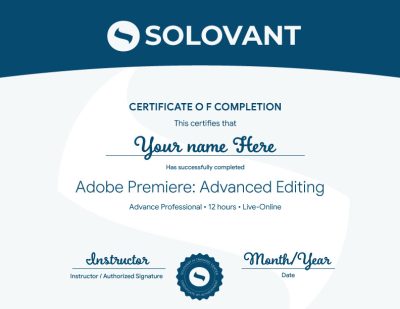
Certificate of Completion
Students who successfully complete the course requirements will receive the SOLOVANT Adobe Premiere Advanced Editing Certificate.
The certificate recognizes completion of a structured live online course focused on advanced editing workflows, narrative storytelling, precision timeline editing, multicamera production, transcript-based editing, color correction, audio repair and mixing, motion graphics, compositing, custom transitions, speed effects, professional export, and AI-assisted post-production workflows using Adobe Premiere.
Academic and Professional Teaching Model
SOLOVANT courses are designed for learners who want more than short tutorials or isolated software techniques. This course follows a structured academic and professional approach that combines advanced technical demonstrations, guided practice, visual and editorial analysis, hands-on editing exercises, project-based learning, and instructor feedback.
Courses are taught by instructors with graduate-level education, university teaching experience, professional certifications, and experience in video production, post-production, digital media, design, technology, and artificial intelligence.
The goal is to help students use Adobe Premiere as a professional post-production environment while developing the technical control, editorial judgment, creative problem-solving skills, and workflow efficiency required for contemporary video production, film, social media, education, marketing, business communication, and digital content creation.
AI in Premiere Workflows
Artificial intelligence is becoming an important part of advanced video editing and post-production. In Adobe Premiere, AI-supported tools can assist with transcription, Text-Based Editing, caption creation, media intelligence search, dialogue enhancement, masking, reframing, color workflows, and Generative Extend.
This course presents AI as a professional editing and workflow tool, not as a replacement for editorial judgment, technical knowledge, or creative direction. Students learn how to use AI-supported features to organize footage, refine dialogue-driven edits, extend clips, improve audio, manage captions, and work more efficiently while maintaining control over story, pacing, timing, sound, color, visual quality, and creative intent.
The course also develops critical awareness of AI limitations, including inaccurate transcripts, poor media matches, inconsistent edits, generated artifacts, copyright and originality concerns, and the need for careful human review. Students are expected to evaluate AI-generated results, correct errors, and make final editorial decisions based on the goals and standards of each project.
Tuition
Normal: $790
Summer Sale: $690
What is included:
- Adobe Premiere Certificate
- Live online instruction
- Adobe Certified Instructor
- Grad-level professor
- Free retake
- Class recording
- 25% discount on the next class
- 1:1 mentoring included
Schedule
-
Weeknights class option:
Tue & Thu – Sep 22, 24, 29, and Oct 1st- Time: 6:00 pm to 9:00 PM
-
Saturday class option:
Sep 28 and Oct 03rd- Time: 10:00 AM to 4:30 PM
-
Sale!
Ready to Build Professional Video Editing Skills?
Enroll in this live online course and strengthen your Adobe Premiere skills through guided demonstrations, advanced editing exercises, instructor feedback, and applied post-production practice.
This course includes structured training in narrative editing, precision trimming, multicamera workflows, Text-Based Editing, color correction, audio repair, motion graphics, compositing, custom transitions, speed effects, and professional export workflows. Students complete practical editing exercises and earn the SOLOVANT Adobe Premiere Advanced Editing Certificate upon successful completion.
-
Sale!
Ready to Build Professional Video Editing Skills?
Enroll in this live online course and strengthen your Adobe Premiere skills through guided demonstrations, advanced editing exercises, instructor feedback, and applied post-production practice.
This course includes structured training in narrative editing, precision trimming, multicamera workflows, Text-Based Editing, color correction, audio repair, motion graphics, compositing, custom transitions, speed effects, and professional export workflows. Students complete practical editing exercises and earn the SOLOVANT Adobe Premiere Advanced Editing Certificate upon successful completion.
Continue Into the Full Certificate Program
Students who complete this course may continue into the full Video Editing and Motion Design Certificate Program, which expands their post-production skills through After Effects Fundamentals: Motion Graphics and Animation and After Effects Core Skills: Compositing and Visual Effects.
Together, these courses provide comprehensive training in professional video editing, motion graphics, visual effects, compositing, animation, color workflows, and media production using industry-standard Adobe applications. Students develop a broader creative and technical skill set for careers in video production, digital marketing, content creation, social media, film, and multimedia design.
Earn Your Adobe Premiere Certificate

If you have any questions, feel free to contact us
We can schedule a Zoom or Phone Call to answer all your questions
hello@solovant.com