
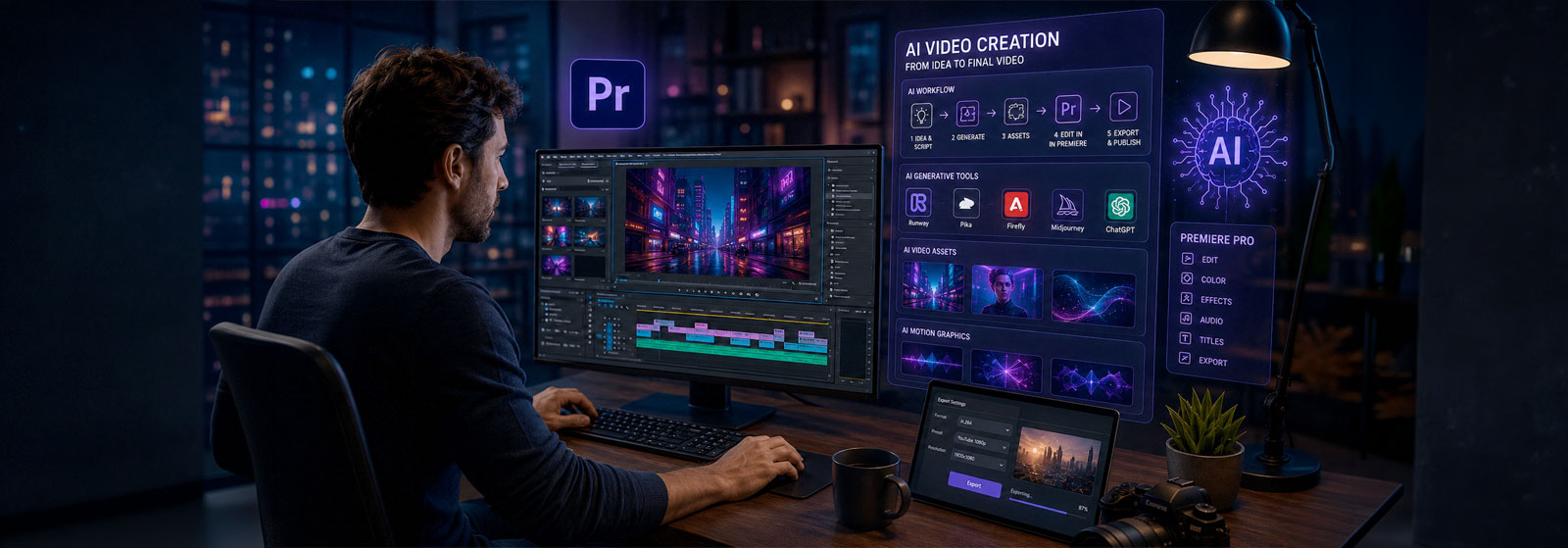
Advanced AI for Video and Motion Graphics
Integrate generative AI into professional video workflows
Live online course covering AI-assisted planning, visual assets, generative video, motion graphics, synthetic media, Premiere Pro workflows, and post-production enhancement.
Course Overview
Advanced AI for Video and Motion Graphics with Adobe Premiere is a structured professional course focused on integrating artificial intelligence into video editing, motion graphics, and post-production workflows.
Students learn how to use AI tools for creative planning, visual development, generative video, motion graphics assets, synthetic media, captions, localization, cleanup, and workflow acceleration. The course uses Premiere Pro as the primary professional editing environment and connects AI-generated assets with practical post-production workflows.
This course is designed for video editors, motion designers, content creators, and media professionals who already understand video editing and want to apply AI with greater purpose, quality control, and professional judgment.
Who This Course Is For
This course is designed for video editors, motion designers, content creators, filmmakers, marketing professionals, and creative media specialists who already have experience with video editing and want to integrate AI into their professional workflows.
It is appropriate for professionals who use Adobe Premiere, After Effects, DaVinci Resolve, Final Cut Pro, or similar video tools and want to expand their work with generative video, AI-assisted motion graphics, synthetic media, visual assets, captions, cleanup, and post-production acceleration.
This is not a beginner editing course. Students should already understand timelines, clips, audio, titles, export settings, and basic video production concepts before enrolling.
Learning Outcomes
By the end of this course, students will be able to:
- Use AI tools to support professional video, motion graphics, and post-production workflows.
- Develop AI-assisted concepts, scripts, style frames, and visual directions for video projects.
- Generate visual assets, B-roll, animated backgrounds, and motion graphics elements using AI platforms.
- Create synthetic media elements such as avatar inserts, AI voice, captions, or localized video versions.
- Integrate AI-generated assets into Premiere Pro workflows with appropriate organization and quality control.
- Use AI tools for cleanup, enhancement, versioning, and workflow acceleration.
- Evaluate AI-generated video content for visual quality, consistency, audience fit, ethics, and professional use.
- Document an AI-assisted production workflow from concept to final review.
What You Will Create
Students will create professional AI-assisted video and motion graphics assets that can be integrated into an existing editing or post-production workflow.
- AI-generated style frames.
- Generative B-roll sequences.
- Motion graphics visual assets.
- AI-assisted animated backgrounds.
- Synthetic presenter or avatar inserts.
- Short promotional video concepts.
- Captioned and localized video versions.
- AI-enhanced social media cutdowns.
Examples of Classwork
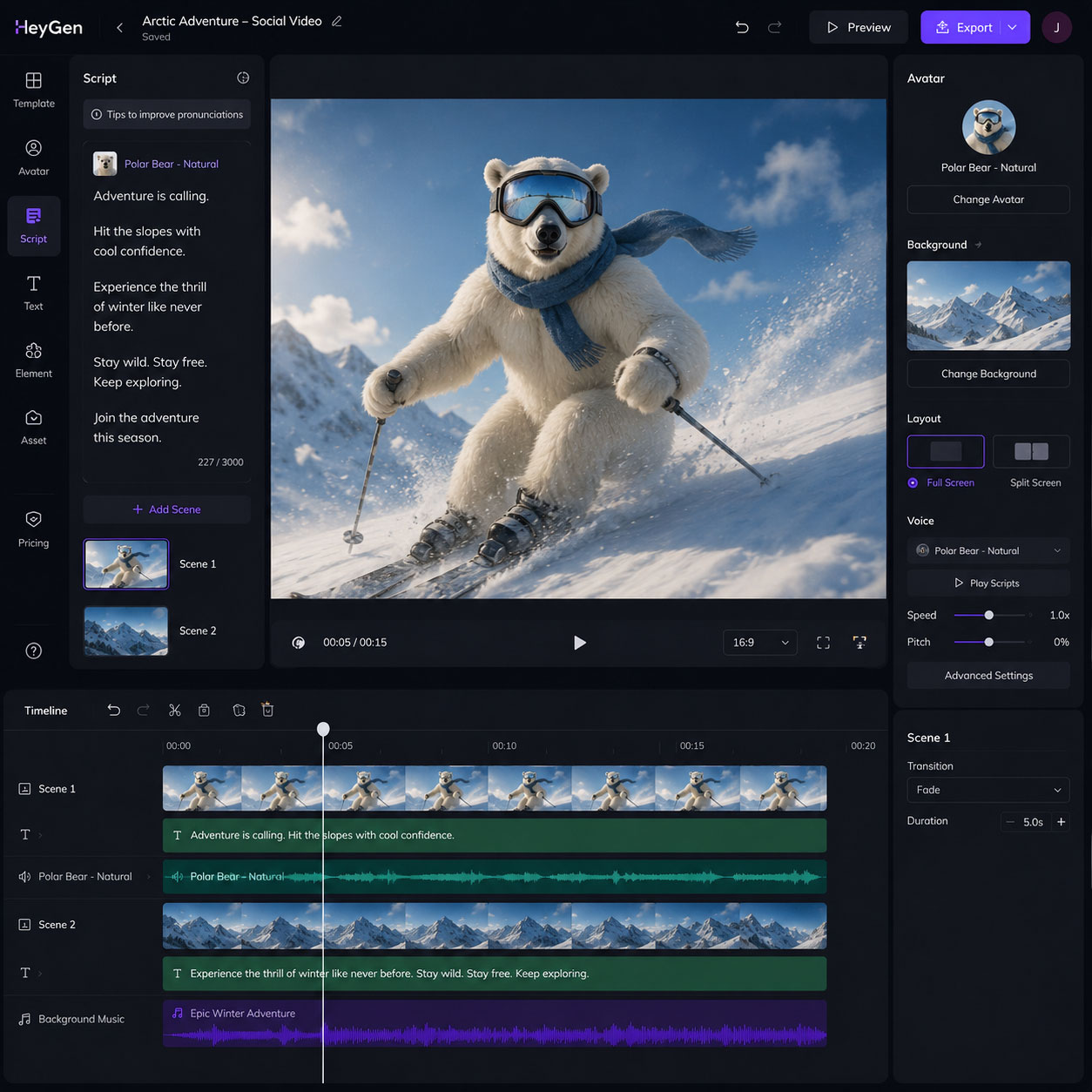
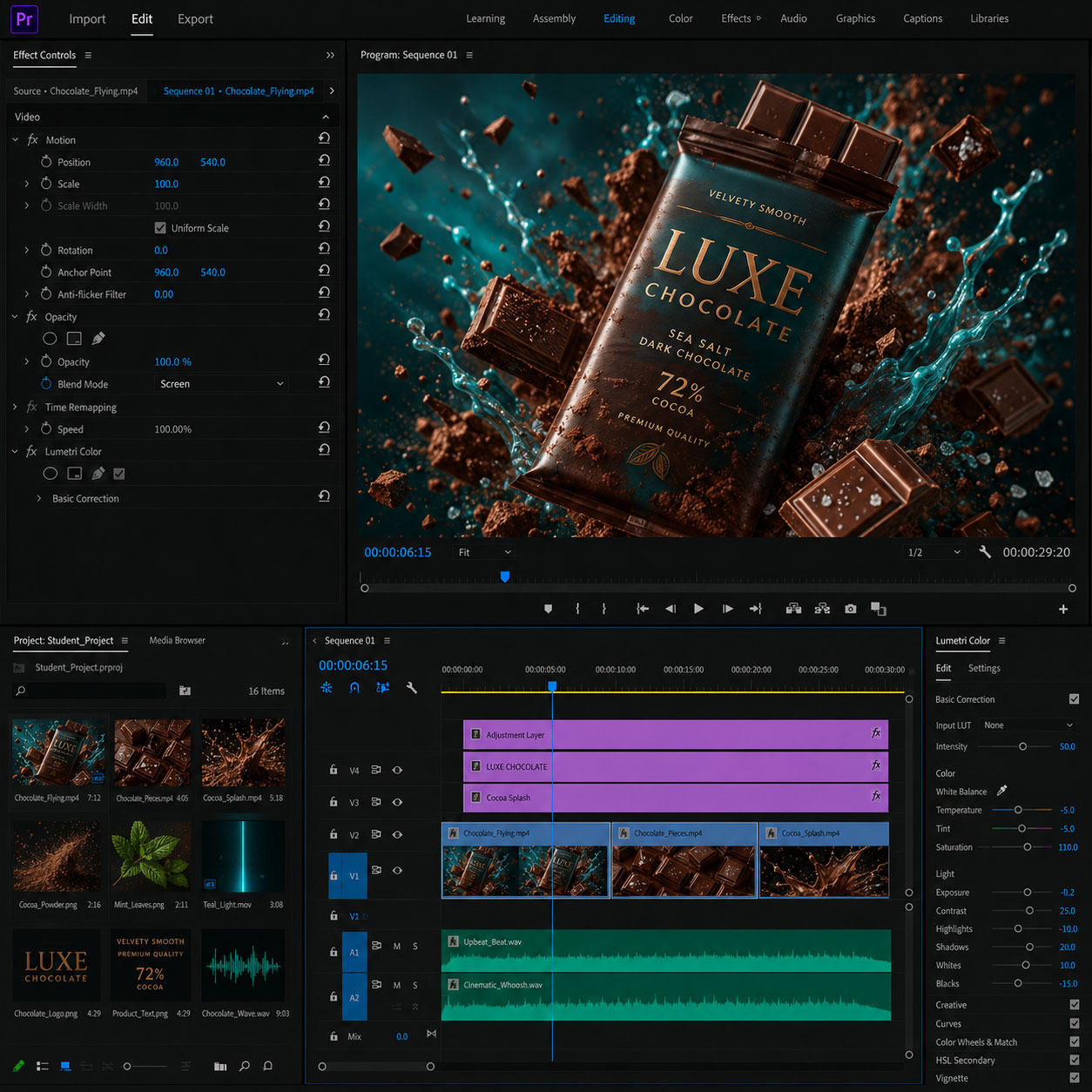
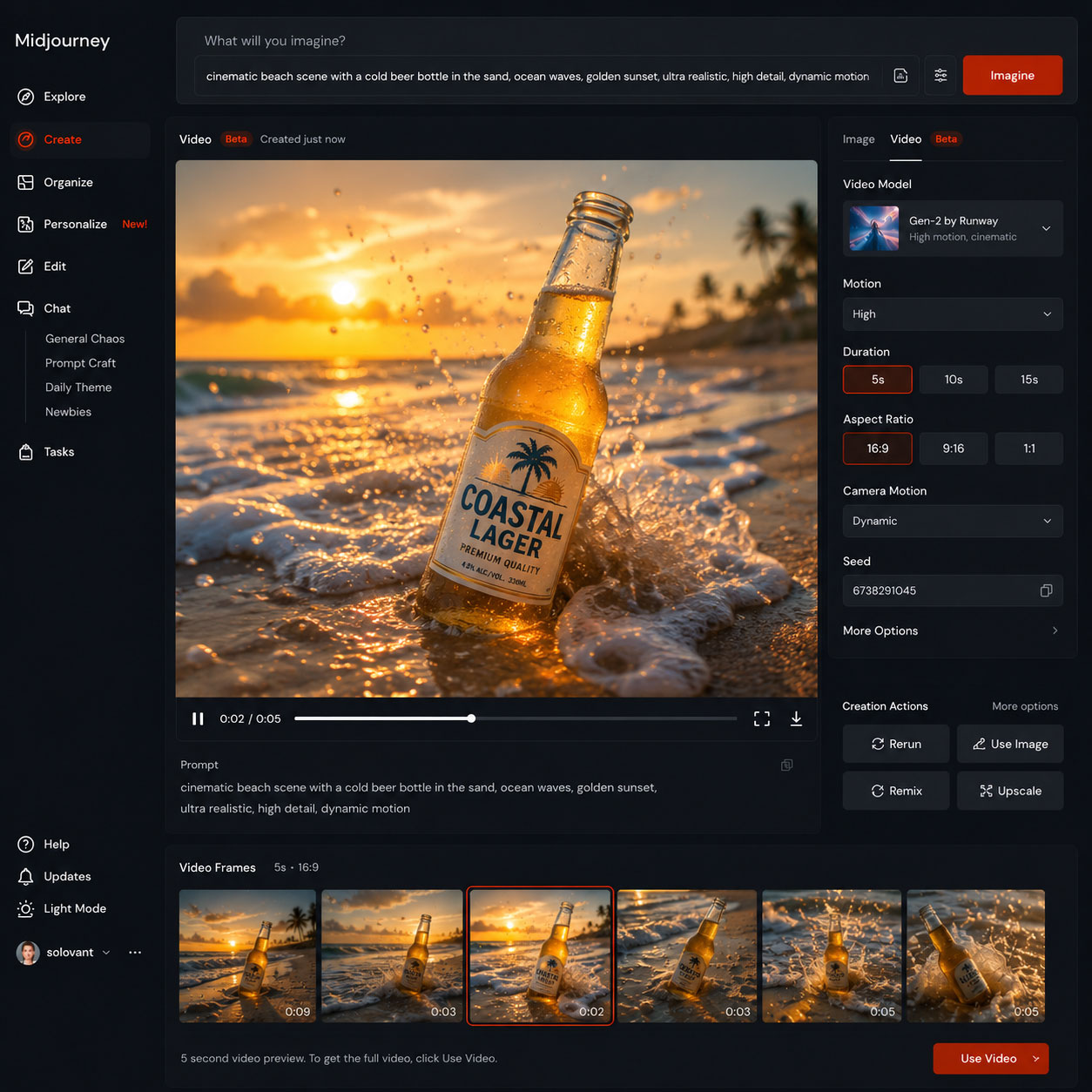
Course Structure
This course includes 12 hours of live online instruction delivered either as four 3-hour sessions or two 6-hour Saturday sessions. Classes combine instructor demonstrations, guided practice, hands-on exercises, critiques, and project-based learning focused on practical professional workflows.
Each module introduces a core software skill and includes applied exercises designed to help students build confidence and improve their work during class. Students who successfully complete the full course and final project earn the Solovant Certificate, demonstrating a solid foundation in professional workflows used across disciplines.
Students also receive structured assignments to complete between sessions. These assignments help students test AI tools, generate professional video and motion graphics assets, and document how AI can support an existing production or post-production workflow.
The course is organized around three stages: AI-assisted visual development, generative video and motion graphics assets, and professional integration into Premiere Pro workflows.
Session 1: AI Video Foundations & Prompt Design
(3 Hours)
The first session introduces students to the rapidly evolving world of AI-assisted video creation and motion graphics. Students learn how modern generative AI tools fit into professional video production workflows while developing the skills to plan projects, write effective prompts, generate visual concepts, and organize assets for efficient production.
Topics Covered
- Introduction to AI video creation workflows
- Overview of leading AI video generation platforms
- Prompt writing fundamentals for video generation
- Creating effective visual references and style consistency
- Storyboarding with AI-assisted planning
- Generating images for video production
- Image-to-video workflows
- Organizing AI-generated assets for editing
- Ethical and responsible use of AI-generated media
- Evaluating AI output and refining results
Module Project
Students will develop a complete pre-production package for a short promotional video using AI-assisted workflows. The project includes creating a creative brief, writing prompts, generating visual references and image assets, developing a storyboard, organizing production files, and preparing all materials for video editing in later sessions.
Session 2: AI Video Generation & Editing
(3 Hours)
The second session focuses on creating professional AI-generated video content and integrating it into an efficient editing workflow. Students learn how to generate cinematic video clips, refine outputs through prompt iteration, edit sequences, add transitions, improve pacing, and prepare projects for professional post-production.
Topics Covered
- Generating AI video clips from text prompts
- Image-to-video animation techniques
- Camera movement and cinematic motion
- Maintaining visual consistency across scenes
- Refining prompts for improved results
- Editing AI-generated video sequences
- Trimming and arranging clips
- Adding transitions and basic visual effects
- Working with AI-generated voiceovers and music
- Exporting projects for post-production
Module Project
Students will create a 30 to 60-second promotional video using AI-generated footage. The project includes generating multiple video scenes, refining prompts for visual consistency, editing clips into a cohesive sequence, adding transitions, incorporating AI-generated narration or music, and exporting a polished first edit for use in the following sessions.
Session 3: Motion Graphics, Visual Effects & AI Enhancement
(3 Hours)
The third session introduces AI-supported motion graphics and visual enhancement techniques that improve the quality and impact of video productions. Students learn how to create animated titles, generate visual effects, enhance footage with AI-powered tools, and combine multiple media elements into polished, engaging videos.
Topics Covered
- Creating animated titles and text graphics
- AI-assisted motion graphics workflows
- Working with overlays and graphic elements
- Background removal and object replacement
- AI-powered video enhancement and upscaling
- Audio cleanup and voice enhancement
- Color correction and visual consistency
- Adding sound effects and background music
- Integrating multiple media assets
- Refining projects for professional presentation
Module Project
Students will enhance their promotional video by adding animated titles, motion graphics, AI-generated visual elements, improved audio, color correction, and visual effects. The project focuses on transforming a rough edit into a polished, professional-quality production suitable for marketing, social media, or business communication.
Session 4: Professional Video Production & Final Project
(3 Hours)
The final session focuses on completing a professional AI-assisted video project from concept to delivery. Students refine their edits, improve pacing and storytelling, apply final visual and audio adjustments, and export videos optimized for multiple platforms. The session concludes with project presentations and instructor feedback.
Topics Covered
- Refining video storytelling and pacing
- Final color correction and visual adjustments
- Audio balancing and final sound mix
- Creating captions and subtitles
- Export settings for social media and professional delivery
- Optimizing videos for different platforms and formats
- Quality control and final review
- AI workflow best practices
- Presenting creative projects
- Portfolio development and next steps
Module Project
Students will complete a fully produced AI-assisted promotional video that combines AI-generated visuals, motion graphics, voiceover, music, titles, captions, color correction, and professional editing. The final project is presented to the class for instructor feedback and can be included in the student’s professional portfolio.
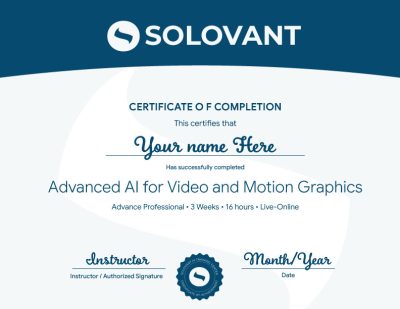
Certificate of Completion
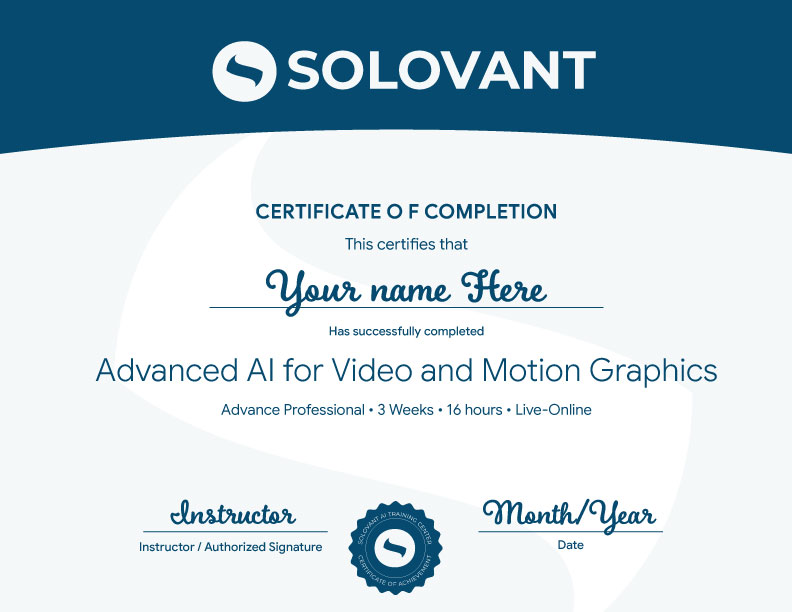
Students who complete the course requirements will receive a SOLOVANT Certificate of Completion in Advanced AI for Video and Motion Graphics.
The certificate reflects completion of a structured live online course focused on AI-assisted video planning, avatar generation, generative scenes, motion visuals, DaVinci Resolve editing, and responsible AI video workflows.
Academic and Professional Teaching Model
SOLOVANT courses are designed for learners who want more than short tutorials or isolated tool tips. This course follows a structured academic and professional approach that combines technical demonstration, workflow analysis, applied experimentation, critique, and instructor feedback.
Courses are taught by instructors with graduate-level education, university teaching experience, professional certifications, and experience in design, video, digital media, technology, and artificial intelligence.
The goal is to help experienced video professionals understand how AI can expand production, motion graphics, and post-production workflows while strengthening creative direction, technical decision-making, and professional quality control.
AI in Video Workflows
Artificial intelligence is becoming part of professional video editing, motion graphics, and post-production workflows. AI tools can assist with visual development, style frames, generative B-roll, animated assets, synthetic media, captions, localization, cleanup, enhancement, and versioning.
This course introduces AI as a professional workflow tool, not as a replacement for editing knowledge, motion design skill, or creative judgment. Students learn how to integrate AI strategically while maintaining control over pacing, structure, visual quality, brand consistency, and final delivery.
The course also encourages critical awareness of AI limitations, including inconsistent motion, visual artifacts, copyright concerns, likeness issues, disclosure, client approval, and the need for careful human review.
Tuition:
Normal $690
Sale $590
What is included:
- Advanced AI for Video and Motion Graphics Certificate
- 12 hours in 4 sessions
- Adobe Certified Instructor
- Grad-level professor
- Free Retake
- Class recorded
- 25% discount in next class
- 101 mentoring included
Schedule
- Duration: 4 sessions
- Total Instruction: 12 hours
- Format: Live online
Saturday class: Jan 9th and 16th
- Time: 10:00 AM to 4:30 PM ET
Weeknight class: Jan 5, 7, 12, and 14th
- Time: 6:00 pm to 9:00 PM ET
-
Sale!
Ready to Create Professional AI-Powered Videos?
Enroll in this live online course and develop practical AI video production skills through guided demonstrations, hands-on exercises, instructor feedback, and project-based learning.
This course includes structured training in AI video generation, prompt design, image-to-video workflows, motion graphics, visual effects, audio enhancement, editing, captions, and professional export workflows. Students complete a fully produced AI-assisted video project and earn the SOLOVANT Advanced AI for Video and Motion Graphics Certificate upon successful completion.
-
Sale!
Ready to Create Professional AI-Powered Videos?
Enroll in this live online course and develop practical AI video production skills through guided demonstrations, hands-on exercises, instructor feedback, and project-based learning.
This course includes structured training in AI video generation, prompt design, image-to-video workflows, motion graphics, visual effects, audio enhancement, editing, captions, and professional export workflows. Students complete a fully produced AI-assisted video project and earn the SOLOVANT Advanced AI for Video and Motion Graphics Certificate upon successful completion.
Continue Into the Full Certificate Program
Students who complete this course may continue into the full Motion Graphic Certificate, which expands into After Effects and AI for Motion Graphics.

Earn Your Advanced AI for Video and Motion Graphics Certificate

If you have any questions, feel free to contact us
We can schedule a Zoom or Phone Call to answer all your questions
hello@solovant.com