
Eugenio Solis de Ovando Ph.D.
Learn Photoshop with AI in Today’s Creative Workflow
Photoshop is no longer only about editing images. It is also about understanding how AI fits into the creative workflow.
For designers, photographers, and visual artists, this does not mean that traditional Photoshop skills are less important. In fact, the opposite is true. If you want to learn Photoshop with AI, you still need to understand the foundations of the software: layers, masks, selections, retouching, color correction, composition, and image manipulation.
AI can expand what Photoshop can do, but it does not replace visual judgment.
Why Learn Photoshop with AI Tools?
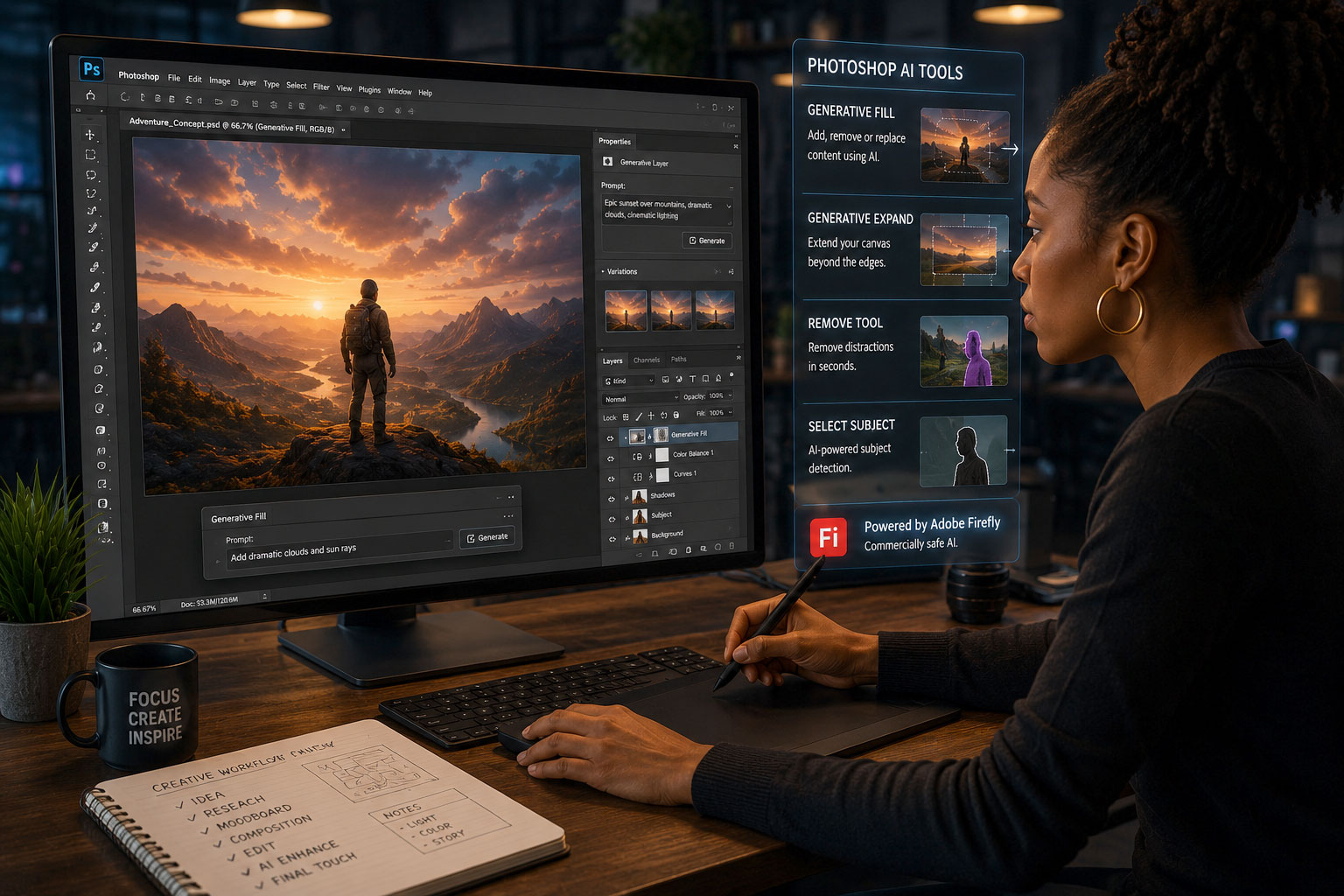
AI tools are now built into Photoshop. Features such as Generative Fill, Generative Expand, AI assisted selections, object removal, and background generation are becoming part of the way many creative professionals work.
These tools can help remove distractions, extend images, test visual ideas, generate backgrounds, and speed up parts of the editing process. However, using an AI feature is not the same as creating a strong image.
A good visual professional still needs to evaluate composition, lighting, perspective, color, realism, brand consistency, and visual meaning. This is why learning Photoshop today should include both the traditional tools and the AI features that are now part of the application.
Learn Photoshop with AI, But Do Not Skip the Fundamentals
One of the biggest mistakes is thinking that AI can replace the need to understand Photoshop. It cannot.
If you do not understand layers, masks, selections, adjustment layers, blending, retouching, and file preparation, it becomes harder to control the final image. AI may give you options, but Photoshop skills allow you to refine those options and turn them into professional work.
To learn Photoshop with AI properly, the AI tools should be treated as part of the workflow, not as a shortcut around the software.
Different AI Models Can Produce Different Results
Another important part of the conversation is that not all AI models work the same way. Some models may be better for realistic image generation, while others may be useful for style exploration, concept development, background creation, or quick visual variations.
As Adobe continues to integrate AI into creative tools, visual professionals need to understand that AI is not one single thing. Different models can produce different results, and those results need to be reviewed carefully.
Learning Photoshop with AI also means learning how to evaluate the output, not just how to generate it.
Why Commercial Safety Matters
For professional creative work, it is not enough for an image to look good. It also matters how the image was created, what tool was used, and whether the result is appropriate for commercial use.
Adobe presents Firefly as designed to be commercially safe. This matters for designers, photographers, agencies, small businesses, and brands because creative work is often used in marketing, websites, advertising, social media, and client projects.
This does not remove the need for professional responsibility. Visual professionals still need to think about image rights, client expectations, disclosure, licensing, and intellectual property.
Ethics, Safety, and Intellectual Property Are Part of Photoshop Today
To learn Photoshop with AI responsibly, visual professionals should also understand the broader issues connected to AI-generated and AI-assisted images.
This includes questions such as:
- Who owns the image?
- Can the image be used for a client project?
- Was the AI model designed for commercial use?
- Does the image include recognizable people, brands, or protected content?
- Should AI use be disclosed?
- Could the image mislead viewers?
These questions are now part of the creative workflow. They are not separate from design, photography, or digital art.

Learn Photoshop with AI at Solovant
At Solovant, our Photoshop course teaches Photoshop as a professional creative tool while also introducing the AI features that are now part of the modern visual workflow.
The course focuses on core Photoshop skills such as selections, masks, layers, retouching, color correction, image manipulation, and composition. It also introduces AI tools as options that visual professionals should understand if they want to work with more control in today’s creative industry.
The goal is not to use AI for everything.
The goal is to become a stronger Photoshop user: someone who understands the tool, knows the new options available, and can decide when to use AI with skill, judgment, and responsibility.
If you want to continue the conversation, join the next webinar: How Creative Professionals Can Stay Relevant in the Age of AI